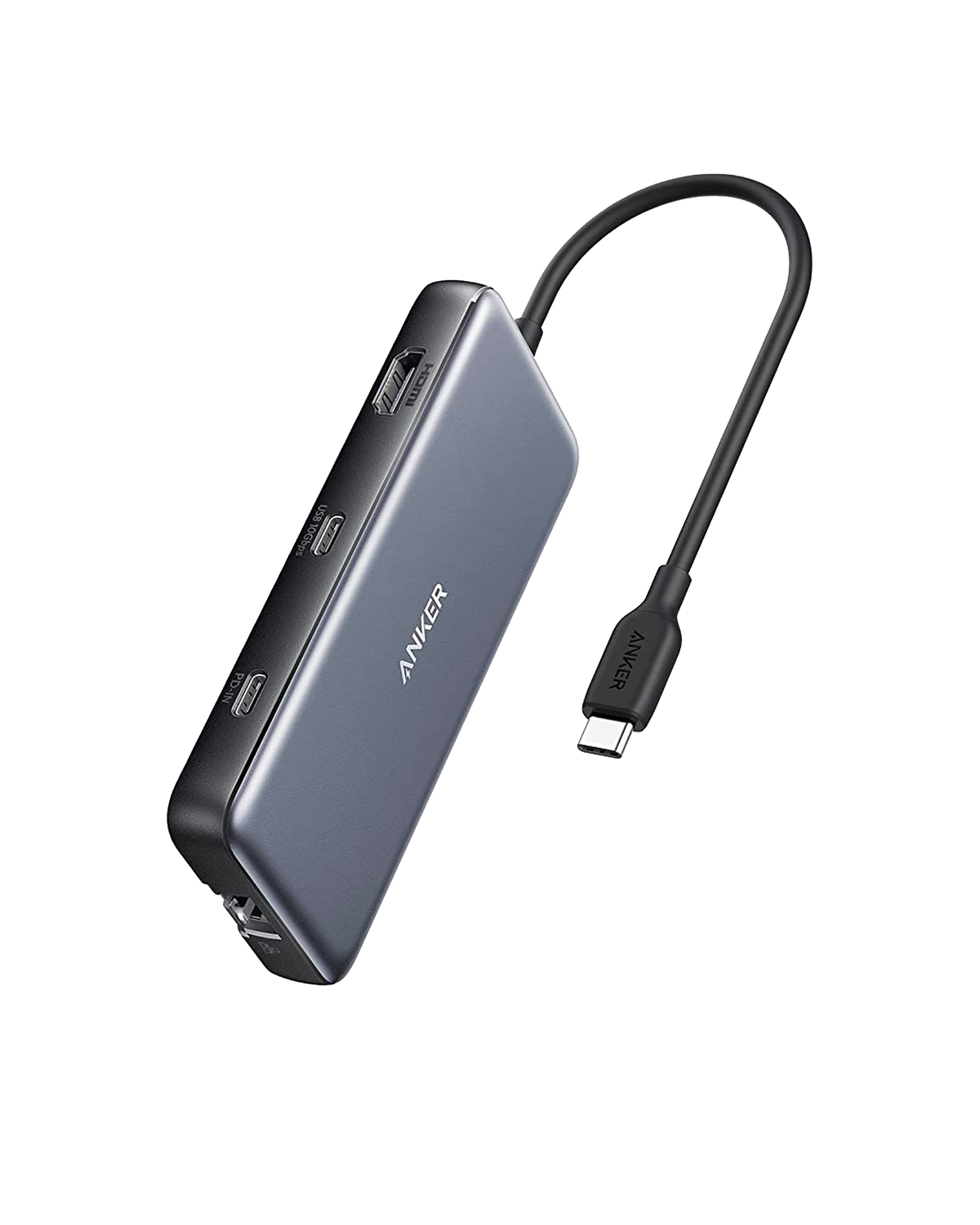
Anker 332 vs 555: buy the ports your laptop can actually use.
Anker 555 (A8383). Official product image: Anker. The 332 has a different port selection.
A hub can turn a laptop into a useful desk setup. The wrong one can leave you with a blank monitor, a sluggish 4K desktop or less charging power than you expected.
BudgetComputers Editorial · October 21, 2026 · Research-based compatibility guide; not hands-on testing.
The buying verdict
Choose the Anker 332 for a modest single-monitor setup if its limits fit your needs and it costs less. Compare the Anker 555 when you need a compatible 4K/60Hz display connection, wired networking or camera-card readers. Neither is a two-monitor dock, and neither creates video output on a laptop port that lacks it.
Before spending, check whether your laptop already has the HDMI and USB ports you need. A tidy desk alone may not justify another accessory.
Three checks before adding a hub to your cart
Video: look up your exact laptop model and the particular USB-C port. For these hubs, HDMI output depends on DisplayPort Alt Mode support. A connector that fits is not proof that it carries video.
Charging: confirm the laptop accepts USB-C Power Delivery on that port. Compare its power requirement with what the hub delivers, not just the wattage printed on your charger.
Display: write down your monitor’s resolution and desired refresh rate. For the 555’s advertised 4K/60Hz output, Anker requires a host supporting DP 1.4; its listing specifies 4K/30Hz with DP 1.2.
Affiliate disclosure: As an Amazon Associate I earn from qualifying purchases. Confirm model, seller, condition and delivered total on Amazon. These are exact-model buying links, not claims of a live discount or lowest price.
BASIC EXPANSION · ONE DISPLAY
Anker 332 · 5-in-1
Good for: a compatible study laptop needing a 1080p monitor, mouse and keyboard. It is worth comparing when you do not need networking or card readers.
Skip it if: you want 4K at 60Hz, two external monitors, Ethernet or SD access. “4K” on the box does not make it equivalent to the 555.
Good for: a compatible single-monitor desk that also needs Ethernet or regular SD-card imports. Pay more only if those connections or its display capability solve a real need.
Skip it if: you need two HDMI displays, USB-C monitor output or guaranteed high-refresh gaming support. A basic port adapter may be enough if all you need is a mouse connection.
Both hubs reserve power for their own operation. Their advertised maximum laptop output is 85W, and reaching it requires a suitable 100W PD charger and cable; a charger is not included. A higher-rated charger does not override the hub’s limit.
For a laptop that needs more power under load, keep its original power supply connected as the manufacturer directs. Do not replace a gaming laptop’s power brick with this hub solely because the USB-C plug fits. Include any charger and cable you need in your purchase budget.
A smoother desktop is a requirement worth checking
A 60Hz screen refreshes twice as often as a 30Hz screen. For frequent scrolling, cursor movement and window dragging, our preference is 4K/60Hz rather than 4K/30Hz. That is a usability preference, not a claim that either hub makes your computer faster.
For a 144Hz or 240Hz gaming monitor, verify the exact resolution, refresh rate and adaptive-sync support of the complete connection. These product specifications do not establish that either hub is the right gaming-display adapter. A supported direct laptop-to-monitor connection may be the better choice.
Need two displays? Stop here and research a dock matched to your exact laptop and operating system. Counting sockets alone cannot tell you how many independent desktops it supports.
Before the return window closes
Check the operating system’s display settings for the intended resolution and refresh rate.
Test charging during your normal workload, with the required charger connected.
Try the webcam, headset and storage devices you will actually use together.
Check display wake-up after sleep and reconnect the hub a few times.
Use Anker’s model-specific guidance if anything fails; keep the hub uncovered during operation.
We matched Amazon’s product descriptions to model numbers A8355 and A8383, checked manufacturer specifications and support notes, and used VESA documentation for the video-connection explanation. The verdict is a compatibility and purpose assessment, not a lab-tested ranking. We have not measured throughput, temperatures or reliability, and no current Amazon price or coupon is verified here. Check exact laptop and operating-system support before ordering.
Choose the charger as carefully as the hub
Connecting a phone can reduce the power available to your laptop. See our 65W USB-C charger power-sharing guide before choosing a multi-port adapter.