Documents and selected photos
Start with the size of those folders. A large unused capacity is not a saving just because its cost per terabyte looks lower.
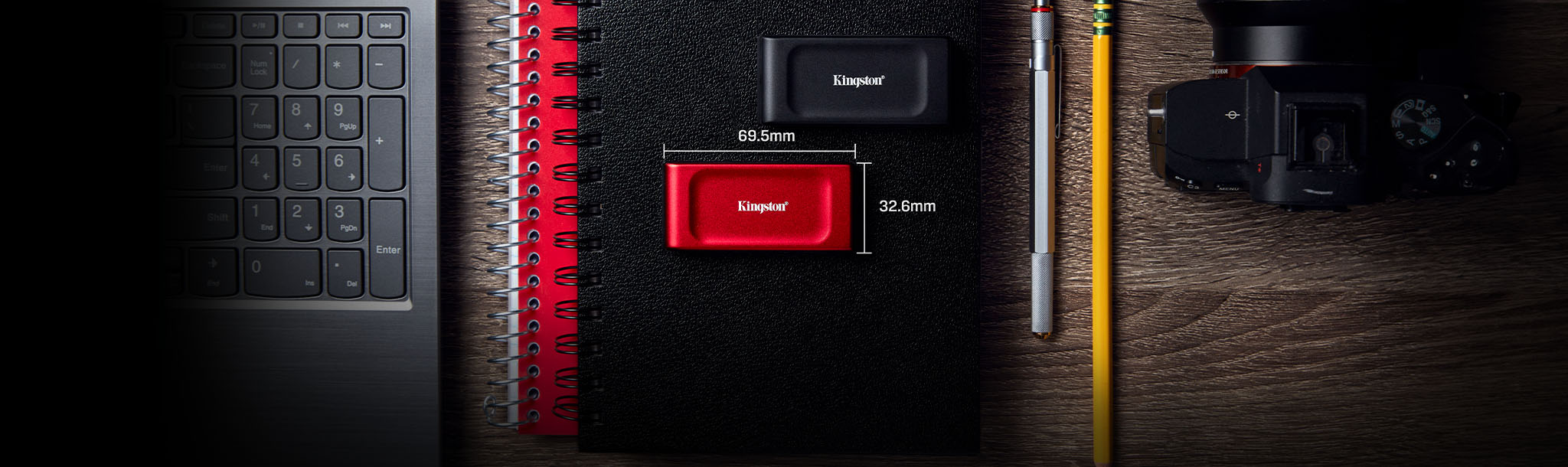
More storage can be a useful upgrade. A bigger speed number is only worth paying for when your computer and workload can use it. Start with capacity, connections and what you need the drive to protect.
For everyday files and a local backup, compare the Kingston XS1000 first if it costs less at the same capacity. The Samsung T7 Shield deserves consideration when its published dust and water resistance matters to your work or travel. Both advertise the same peak sequential speeds; that does not prove identical performance during long transfers.
Neither is an automatic bargain. If your existing drive has enough space and does the job, keep it. If either listing carries an inflated price or an unfamiliar seller, wait or compare another established retailer.
Affiliate disclosure: As an Amazon Associate I earn from qualifying purchases. Product links below use our affiliate tracking. Prices, sellers and availability can change; this is a buying guide, not a verified live-deal alert.
Count the folders you actually need to carry or back up, then allow room for growth and older backup versions. A 1TB laptop does not necessarily need a 1TB external drive, and a nearly full 1TB laptop is a poor match for a 1TB drive intended to hold several backup versions.
Start with the size of those folders. A large unused capacity is not a saving just because its cost per terabyte looks lower.
Allow for project copies, exports and updates. Compare larger capacities before committing to a small drive you will immediately outgrow.
Practical example: 300GB of files plus an expected 200GB over the next year gives a 500GB starting requirement, before backup history. That is a planning example—not a promise that every 1TB backup will fit. Check your backup software’s recommendation.
Both shortlisted drives use USB 3.2 Gen 2, a 10Gbps connection. A slower host port limits the connection even when the drive and cable support more. USB-C describes the connector; look up the port’s data rate in your exact computer’s specifications.
Use the supplied suitable cable and connect directly when troubleshooting. A hub adds another specification to check. See our USB-C hub comparison before assuming every USB-C data port offers the same speed.
Peak sequential ratings are not a stopwatch prediction for thousands of small files. For frequent, long video transfers, seek a sustained-write test of the exact capacity you plan to buy. We have not measured either drive and are not declaring a speed winner.
| Consideration | Kingston XS1000 | Samsung T7 Shield |
|---|---|---|
| Peak sequential read / write | Up to 1,050 / 1,000MB/s | Up to 1,050 / 1,000MB/s |
| Connection | USB 3.2 Gen 2 | USB 3.2 Gen 2 |
| Weight | 28.7g | About 98g |
| Published ingress protection | No IP rating | IP65 under Samsung’s stated test conditions |
| Limited warranty | Five years, subject to endurance and warranty terms | Three years, subject to warranty terms |
Sources: Kingston specifications, Kingston datasheet and Samsung datasheet. Warranty duration is not a measured reliability score.
Rugged does not mean indestructible. Samsung’s published conditions exclude damage caused by drops, liquid and dust from warranty coverage. Keep a separate copy regardless of the enclosure.
Good for: students and desk workers who want a small drive for files and a local backup, when its delivered price is lower.
Skip it if: you need documented water/dust protection, more than 1TB of working space, or proven sustained-write performance for a demanding workflow.
Exact model: SXS1000/1000G. Check the package contents; Kingston’s current specification includes a USB-C-to-A cable and an A-to-C adapter.
Check XS1000 1TB on AmazonGood for: buyers who have a practical reason to prefer its protected enclosure and accept its extra weight and any price premium.
Skip it if: the drive will stay on a desk and the premium buys you no useful feature. Do not pay more assuming “Shield” makes it faster than every other 10Gbps drive.
Exact US model: MU-PE1T0S/AM. Select T7 Shield, not the standard T7 or T7 Touch.
Check T7 Shield 1TB on AmazonCompare the final delivered totals for the same capacity and condition. A discount against a crossed-out price does not establish good value. Check who sells the drive, the return window and regional warranty eligibility.
If you move your photos off the laptop and delete the originals, the external SSD holds your only copy. It is extra storage, but the files remain vulnerable to loss or drive failure.
CISA’s 3-2-1 guidance recommends three copies, on two types of storage, with one offsite. For example: working files on your computer, a separate local backup, and an offsite backup. Test that you can restore a file; seeing a folder name is not enough.
For client records or sensitive work, follow your organisation’s storage and encryption rules. A hardware warranty does not replace lost data.
PS5 games cannot be played directly from USB extended storage. Sony permits storing them there, then copying them back to supported playable storage. PS4 games can run from USB extended storage. Sony also requires a direct connection rather than a USB hub and does not guarantee every drive.
Source: PlayStation’s USB storage rules. If playing PS5 games without shuffling them is the goal, read our internal PS5 SSD guide instead.
On a PC, check the game’s storage requirements and launcher support. An external drive is a capacity option; it is not a guaranteed frame-rate upgrade.
We checked manufacturer documentation, matched the linked Amazon listings to the exact 1TB model numbers, and consulted CISA and PlayStation for backup and console guidance. These are established options illustrating different priorities, not a claim to rank every portable SSD. Our recommendation depends on your use and the current delivered price. We have not verified a live discount, coupon or in-stock offer.