Why a 65W USB-C charger can slow down when you plug in your phone.
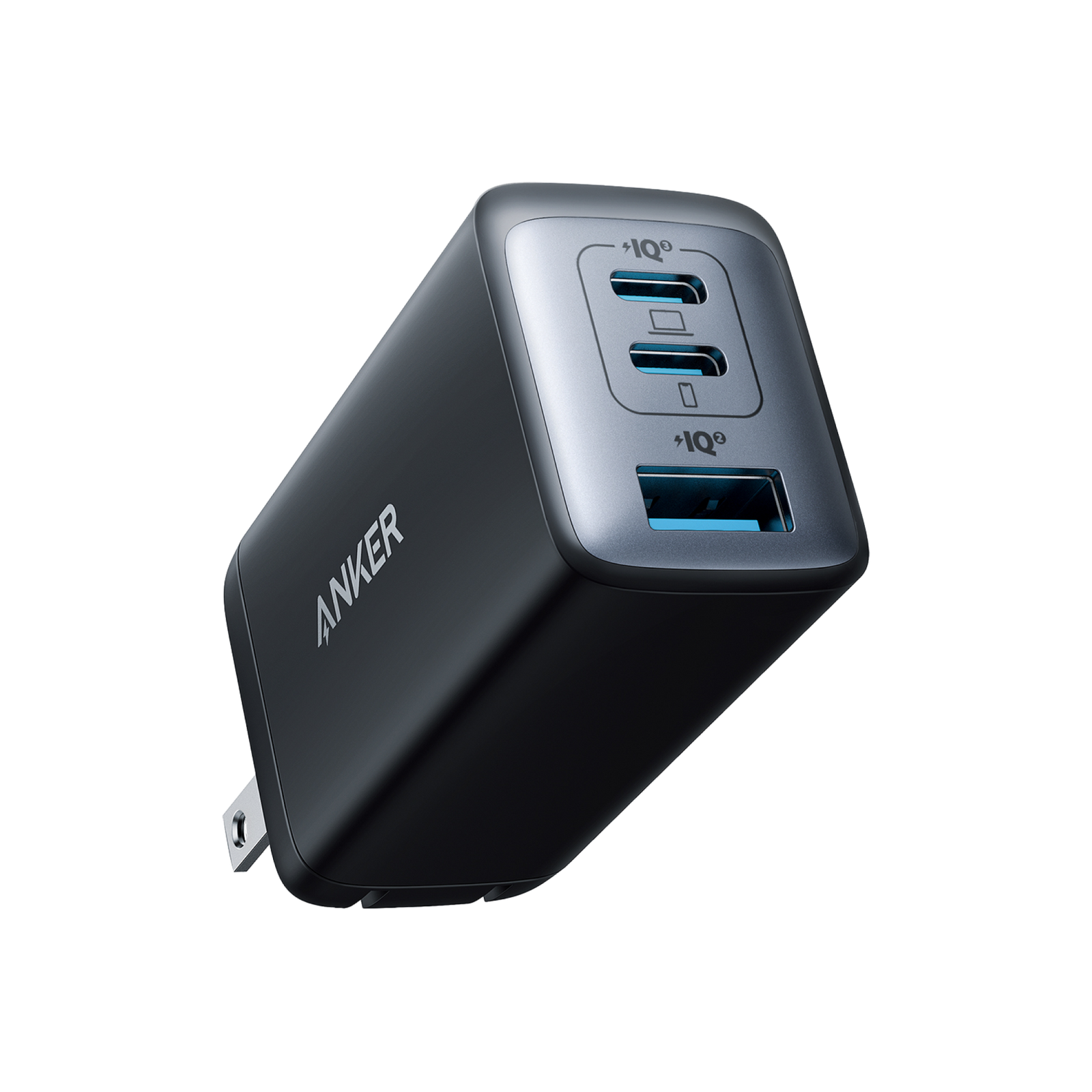
Anker 735 Nano II, model A2667. Official product image courtesy of Anker.
A charger advertised at 65W may give your laptop considerably less power once you connect another device. Before replacing a slow charger—or buying one for work or college—check what each port can deliver in the combination you actually use.
BudgetComputers Editorial · October 22, 2026 · Research-based guide; not hands-on testing.
Our verdict
Buy for your simultaneous charging needs. A compatible laptop used alone and a laptop sharing its charger with a phone are different requirements. If your laptop needs the full 65W while another device charges, the Anker 735 Nano II A2667 is not the right fit for that routine.
Affiliate disclosure: As an Amazon Associate I earn from qualifying purchases. Our shopping link is an affiliate link. This is a compatibility guide; no current Amazon discount is claimed.
These are manufacturer limits, not measured charging rates. Actual power depends on the connected device, supported charging protocol, cable and battery state.
The practical catch: connecting a laptop to C2 and an accessory to USB-A puts that laptop on a port capped at 12W. For shared laptop charging, C1 is the useful starting point—but its 40W or 45W shared limit still needs to suit the laptop.
Three checks before spending money
1. Confirm the laptop can charge through that port
A USB-C connector does not by itself establish charging support. Consult the exact laptop’s manual for its charging port, USB Power Delivery requirements and recommended adapter. A compact USB-C charger should not be assumed to replace a gaming laptop’s higher-power adapter.
2. Check the cable’s power rating
A cable marked 60W cannot carry the full advertised 65W. USB-IF’s current certification rules use 60W and 240W power markings for USB-C to USB-C cables. Choose a cable rated for the required power; an existing properly specified 100W cable can also cover a 65W requirement. A higher cable rating does not increase the charger’s output.
The A2667 is sold without a cable on Anker’s product page. Include a suitable cable in your total cost if you do not already own one.
3. Test the simplest setup first
Connect the laptop directly to its supported charging port, using a suitable cable, with other devices disconnected from the charger. If slow charging appears only after adding a phone or accessory, compare that combination with the manufacturer’s power table.
Using a dock or hub? Check the power delivered to the laptop after the hub’s own requirements. Our Anker 332 versus 555 guide explains why a hub’s advertised input rating is not the same as its laptop output.
When the Anker 735 Nano II makes sense
CONDITIONAL PICK · MODEL A2667
Anker 735 Charger, Nano II 65W
Consider it for: a compatible laptop charged alone, or a laptop-and-phone combination whose requirements fit the shared limits above.
Skip it for: full 65W laptop charging while another device is connected. Seek a charger whose published multi-port allocation meets both needs, or keep separate adapters.
Match model A2667. The similarly named 735 GaNPrime A2668 is a different product. Check seller, plug type, included accessories, delivered price and returns before purchasing.
When keeping your charger is the better choice
If your existing adapter already powers your laptop reliably, a smaller multi-port model is mainly a convenience purchase. Try charging your phone separately before replacing a working laptop adapter. If buying a replacement, write down your laptop model, required power, cable rating and devices you will charge together. Those details are more useful than choosing the largest wattage number on the box.
Research and limits
We compared Anker’s US product specifications and A2667 manual listing, matched the Amazon listing to A2667, and consulted Microsoft and USB-IF guidance. We have not measured charging speed, operating temperature or compatibility with your laptop. Our verdict concerns the documented fit for a charging routine, not a laboratory performance ranking.