WD My Passport · 2TB HDD
Consider for a stationary desk backup when 2TB is enough and the current price is lower than a suitable SSD. Skip if you need SSD transfer performance.
Check 2TB HDD price on AmazonA replacement laptop cannot bring back a lost assignment, invoice or family photograph. Before your next hardware upgrade, check whether you could recover the files that matter if your computer disappeared tomorrow.
Start with a second, recoverable copy of your important files. Then add an offsite copy and a routine you will maintain. A local drive is useful for recovery without a large download; an offsite copy helps when the laptop and local drive are both lost.
Moving files is not the same as backing them up. If you delete the originals after transferring them, the external drive holds your only copy. You have changed where the risk sits.
Affiliate disclosure: As an Amazon Associate I earn from qualifying purchases. The shopping buttons contain affiliate links. Prices and stock are not quoted; compare the current delivered total before buying.
Already have a suitable spare drive? You may only need to set up and test a backup. If you need to buy, compare these two different-capacity options.
Consider for a stationary desk backup when 2TB is enough and the current price is lower than a suitable SSD. Skip if you need SSD transfer performance.
Check 2TB HDD price on AmazonConsider for frequent transfers or travel when 1TB leaves room for backup history. Skip if the capacity is tight or the price premium adds little benefit.
Check 1TB SSD price on AmazonThese are different capacities, not an equal-capacity price comparison. Confirm the selected model, seller, delivered total and return terms. Read the full drive comparison and connection checks.
CISA’s 3-2-1 guidance recommends three copies of important files, using two media types, with one copy offsite. For a home laptop, a practical starting plan is your working files, a separate local backup and an offsite backup.
| Copy | Purpose | Check |
|---|---|---|
| Working files | The documents and projects you use | Know which folders and accounts contain them |
| Local backup | Recover a deleted file or replace a failed laptop’s data | Backup completed, correct folders included, restore works |
| Offsite copy | Protect against losing equipment in the same place | Upload completed, recovery history understood, account accessible |
Choose a backup frequency based on the work you can afford to lose. If losing today’s assignment or business records would hurt, a once-a-month copy is not enough. A reminder helps only when the drive is connected and the backup actually finishes.
CISA also recommends offline backups and regular recovery tests because ransomware can target accessible copies. For a simple removable-drive routine, safely eject and disconnect the backup drive after the job finishes, then reconnect it for the next backup. Remember that new work is not protected on that disconnected drive until you update it.
Cloud storage can keep a copy away from your home and make files available on another device. It is still worth checking its recovery features. Microsoft explains that deleting a synced OneDrive file can remove it from the cloud and other devices too; recycle-bin recovery is available, but retention is limited.
Microsoft’s OneDrive guidance gives up to 30 days for a personal account’s recycle bin and up to 93 days for work or school accounts. Check your own service’s version history, retention, storage quota and account-recovery options. Do not assume every cloud plan behaves like a dedicated backup service.
Check online-only files separately. A filename visible on your laptop does not prove its contents are in your local backup. Confirm that the files you need are included and recoverable. If you need local copies, OneDrive’s Files On-Demand documentation explains the distinction between online-only and locally available files.
Connect the backup drive, then open Control Panel → System and Security → Save backup copies of your files with File History. Select the intended drive and turn it on. Check that your important folders are in the libraries being backed up.
File History protects personal files and their versions; do not treat it as a complete image of your Windows installation and applications. Follow Microsoft’s setup and restore instructions.
In recent macOS versions, open System Settings → General → Time Machine → Add Backup Disk. Apple recommends a backup drive with at least twice the Mac’s storage capacity.
Setup may ask to erase the selected drive. Preserve anything already on it before continuing. If you encrypt the backup, keep its password somewhere you can access without the laptop. Follow Apple’s Time Machine instructions.
First, total the files you want to protect and leave room for growth and older versions. A drive that barely fits one copy may be a poor choice for versioned backups. The two examples below have different capacities; they are not an equal-capacity price comparison.
Consider a hard drive when its current price buys the capacity you need for less and you can leave it stationary while it works. An SSD can be worth paying for when frequent large transfers or carrying the drive make it more practical. Kingston’s technology explainer describes the mechanical difference: SSDs have no moving parts. That does not make an SSD immune to failure or a substitute for another copy.
Model: WDBYVG0020BBK-WESN. WD specifies a portable hard drive with USB 3.2 Gen 1 / USB 3.0 connectivity and a supplied USB-A cable.
Consider it if: 2TB leaves enough room for your files and backup history, and its delivered price is meaningfully below a suitable SSD.
Skip it if: you need more capacity, frequently work from the drive while travelling, or specifically need SSD transfer performance. Check connection and formatting requirements for your computer.
Check My Passport 2TB on AmazonConfirm the 2TB black HDD, not My Passport SSD or Ultra. A USB-C-only laptop may require a compatible adapter or cable. WD specifications.
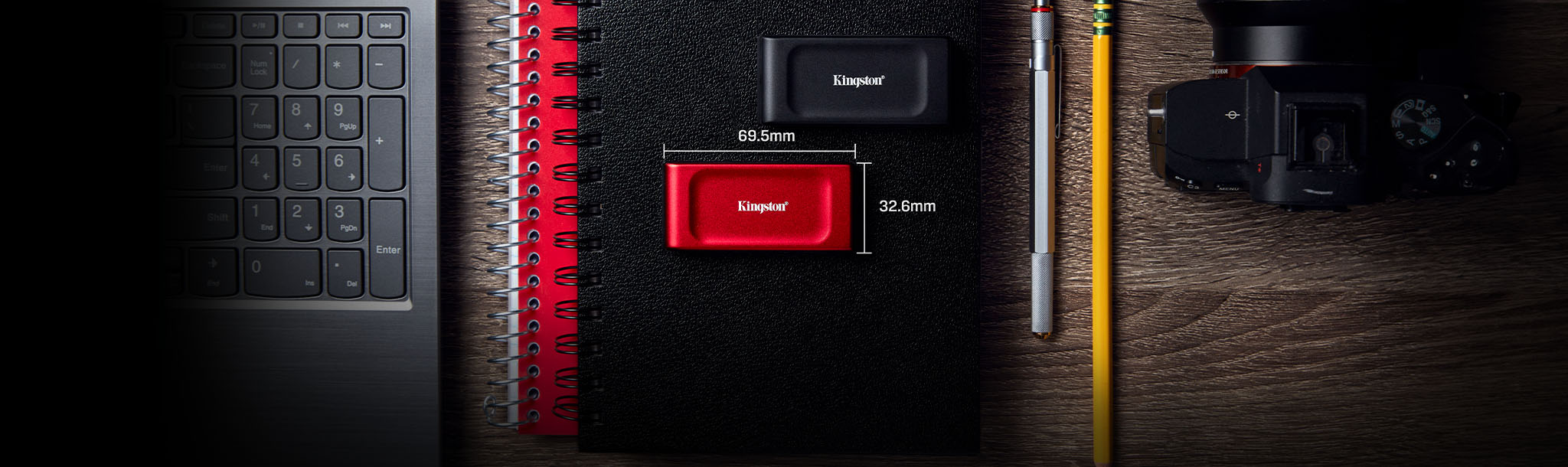
Model: SXS1000/1000G. Kingston specifies USB 3.2 Gen 2 and read speeds up to 1,050MB/s. That is a manufacturer maximum, not a measured backup speed.
Consider it if: 1TB is comfortably sufficient and a compact SSD suits your frequent transfers or travel routine.
Skip it if: the capacity is tight, you need documented water resistance, or the price premium buys you little benefit for occasional backups.
Check XS1000 1TB on AmazonActual speed depends on the host, cable, files and workload. Kingston specifications. Read our portable SSD guide for more on interfaces and enclosure trade-offs.
For either drive, compare the selected capacity, seller, condition, delivered total and return terms. Neither buying a drive nor installing bundled software completes the backup job: you must configure it, include the right files and test recovery.
For work or client records, use your organisation’s approved storage and encryption arrangements. This personal-file routine does not replace a business recovery plan.
Reviewed October 24, 2026 using CISA, Microsoft, Apple and manufacturer documentation. Retailer product identities were checked; current prices, stock and seller terms were not confirmed. We have not measured drive reliability, backup speed or recovery success. Our assessment prioritises enough capacity, a usable routine and a verified restore over headline speed.