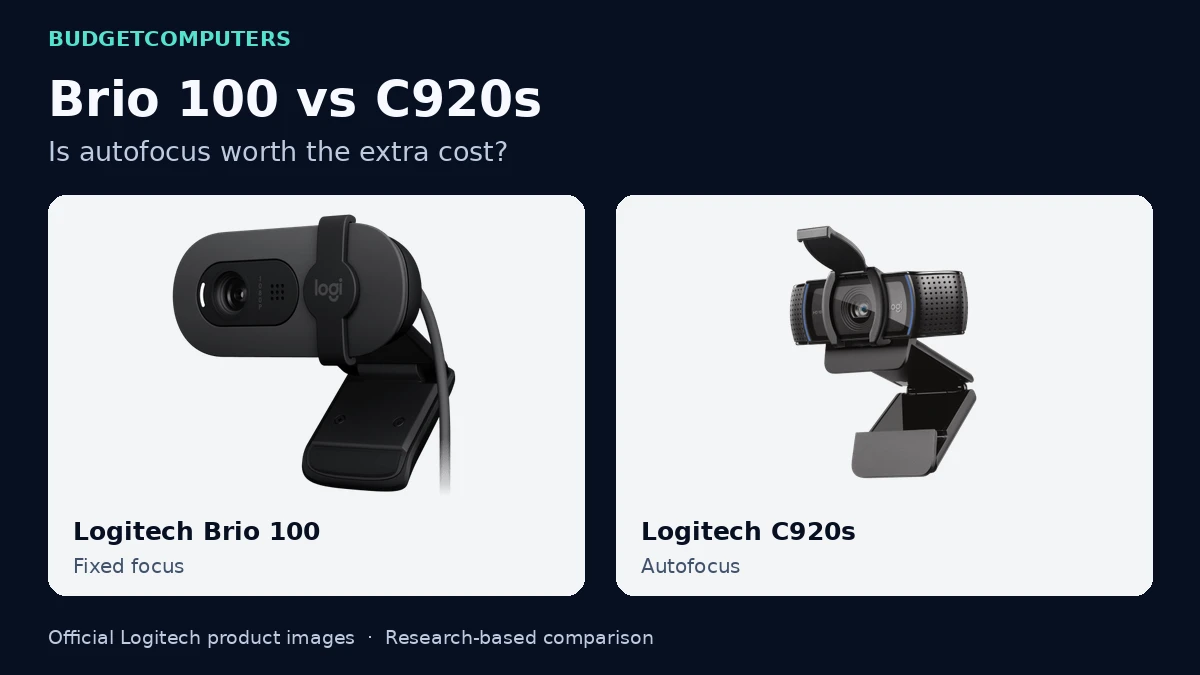
Logitech Brio 100 vs C920s: is autofocus worth paying for?
Both say 1080p. The useful difference is how you sit, move and frame your calls. Here is where to spend—and where to save.
Product images: Logitech, from the Brio 100 and C920s galleries. Arranged and labelled by BudgetComputers; products are not shown to scale. These are manufacturer assets, not our test photographs.
BudgetComputers Editorial · November 7, 2026 · US buying focus · Research-based comparison; not hands-on testing.
Affiliate disclosure: We may earn a commission through eligible retailer links. As an Amazon Associate I earn from qualifying purchases. Full disclosure.
Which should you consider?
Brio 100: a sensible starting point for a single person sitting at a consistent desk distance, provided its current price is meaningfully lower.
C920s: worth comparing when you want autofocus or a wider frame. Paying extra is easier to justify when those features solve a specific problem.
Keep your current camera if it already gives a usable picture. Try our five-minute video-call check before spending.
A fixed-focus camera does not refocus as you move. For a consistent seated position, that can be perfectly adequate; it is less suitable if your plan involves bringing objects close to the lens. Test at your actual working distance rather than assuming every distance will look sharp.
Autofocus: useful flexibility, not a document-camera guarantee
The C920s can adjust focus as subject distance changes. That is a feature to consider for presentations, but it does not establish how quickly or reliably this camera will refocus in your room. Small print, close objects and poor light remain practical tests. For detailed paperwork, a scan or screen share may serve the audience better.
A wider view shows more of the room
At the same camera position, the C920s includes more of the scene. That may help with demonstrations or sharing the frame, but it also reveals more background. Choose the framing you need; wider is not automatically better for a one-person call.
Compare the exact models
These links open the named product pages. Check the selected condition, seller, warranty, delivery and final total before ordering. No live sale price or discount is claimed here.
Consistent desk calls
Logitech Brio 100 · Graphite
US model 960-001580
Consider it if: you need a separate camera for everyday work or classes and normally stay in one position.
Skip it if: you need autofocus, a wider demonstration area or 1080p/60fps recording.
Affiliate link. Match the C920s model and included privacy shutter.
How much extra is reasonable? Subtract the delivered Brio 100 total from the C920s total. If the difference only buys features you cannot name a use for, keep that money. If the totals are close, compare independent sample footage, return terms and the framing you prefer before choosing.
What neither purchase guarantees
A 1080p webcam does not guarantee a 1080p meeting. The service, account, settings and connection also matter. Zoom’s HD requirements explain its restrictions. Check the platform you actually use.
Sharper video will not solve unclear speech. Make a short recording at your desk. If people struggle to hear you, our headset versus USB microphone guide may be the more useful next comparison.
If calls freeze while a local recording looks fine, investigate the app and connection first. Our connection troubleshooting guide helps you decide whether an adapter would address the fault.
Before checkout—and before the return window closes
Check fit and connection. Confirm the USB plug, operating-system support, cable reach and how the clip sits on your display. Include an adapter in the budget if required.
Test your real position. Use normal lighting, seating distance and your usual meeting app. Check what another participant receives.
Test the reason you upgraded. If you paid for autofocus, try the movement or demonstration that matters to you.
Keep it only if it helps. A readable model number and return policy are more useful than a “professional” label or inflated saving.
Manufacturer and platform documentation checked November 7, 2026. The recommendations are BudgetComputers editorial analysis, not measured image-quality or autofocus test results. Amazon pages were matched by model; price, stock and seller terms must be checked when buying. Editorial policy · Report a correction.
Choosing for a particular setup? Share your camera, problem and budget in r/BudgetComputers.