USB microphone or headset: what actually improves your calls?
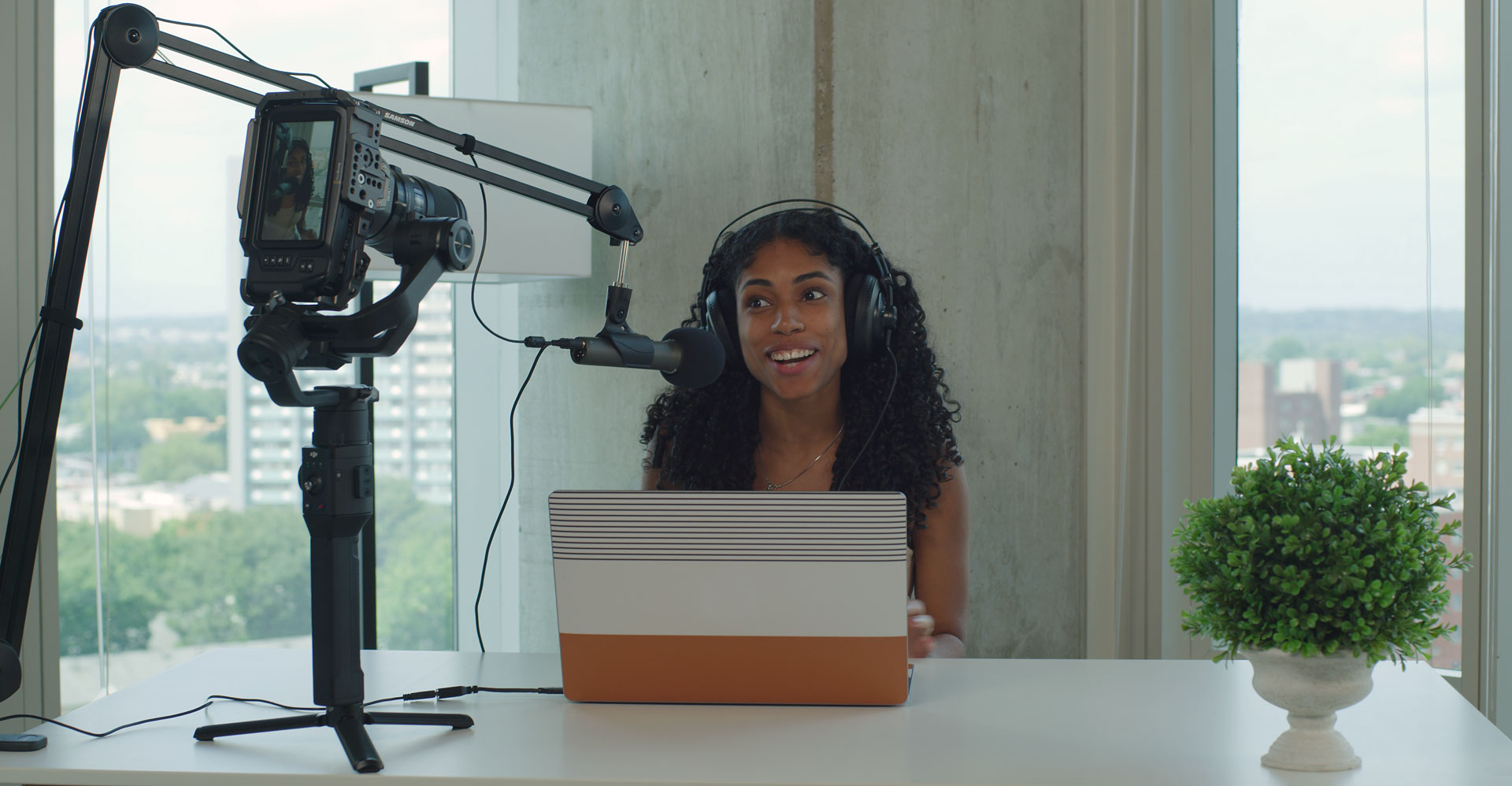
Q2U in a recording setup. Official photograph: Samson. Camera, headphones, laptop and boom arm shown are not included in the microphone pack.
If colleagues keep asking you to repeat yourself, a larger microphone is not automatically the answer. Start by identifying whether the problem is distance, background noise, settings or the connection. Then choose the simplest setup that fixes it.
BudgetComputers Editorial · October 22, 2026 · Research-based comparison; not a hands-on sound test.
Our verdict
For routine meetings and online classes, start with a wired headset. It combines listening and speaking in one device and keeps the microphone near your mouth as you turn your head.
Consider a separate USB microphone for regular narration, lessons, podcasts or streaming when you can position it properly and already have suitable headphones—or have budgeted for them. Its value comes from fitting your recording routine, not looking like studio equipment.
Affiliate disclosure: As an Amazon Associate I earn from qualifying purchases. The shopping buttons use our affiliate tracking. No live price, discount or measured sound-quality ranking is claimed.
Make a short recording before you spend
Select the intended microphone. Check both the computer and meeting app; a connected headset is no help if the app still uses the webcam microphone.
Record ordinary speech, then a few seconds of silence. Include your normal typing and head movement. Listen for quiet speech, room echo, keyboard noise or distortion.
Change one thing and repeat. Try positioning, input level or a quieter location before replacing hardware.
Calls while reading, typing or turning toward another screen
Headset with a boom microphone
Fit, comfort, cable length and a compatible USB connection
Regular voiceovers or recorded lessons
Separate USB microphone and headphones
Close placement, repeatable speaking position and space for a stand
Shared room with conversations nearby
Improve placement and reduce the noise source first
Neither category promises to remove another person’s voice
Existing audio is already clear
Keep the current equipment
Spend only if comfort, controls or recording needs remain unresolved
Distance matters more than the size of the microphone
Audio-Technica’s setup guidance explains why a headset maintains consistent microphone placement as you move. With a desk microphone, you must maintain that position yourself.
Shure’s conferencing guidance stresses the importance of proximity: a microphone captures sound arriving at its location and cannot simply reach across the room for your voice. Moving a suitable microphone nearer can improve the balance between speech and surrounding sound.
“Dynamic” and “cardioid” are useful design information, not guarantees of a quiet recording. A fan, keyboard or nearby conversation may still be audible. Test your usual environment, and avoid treating a software noise-reduction label as a substitute for sensible placement.
Two options for different jobs
MEETINGS & ONLINE CLASSES
Logitech H390 · USB-A, black
Logitech specifies a rotating boom with a noise-canceling microphone and inline volume and mute controls. The linked version uses USB-A.
Good for: a straightforward listening-and-speaking setup on a compatible computer.
Skip if: you need wireless movement or dislike wearing an on-ear headset. Comfort during a long shift needs your own assessment.
H390 also has USB-C variants. Match the connector before checkout. “Noise-canceling mic” describes the microphone; it should not be read as a promise of silent surroundings for the wearer.
NARRATION & REPEATABLE RECORDING
Samson Q2U recording pack
A cardioid dynamic microphone with USB and XLR outputs, plus a 3.5mm headphone output for direct monitoring. Samson lists a tripod, mic clip, windscreen and USB/XLR cables in its pack.
Good for: a seated speaker who can position the microphone close and wants the option of an XLR setup later. USB operation does not require a separate audio interface.
Skip if: you intend to leave it far away beside the monitor, need a room-wide conference microphone, or want an all-in-one headset.
Samson’s current page specifies USB-C. Confirm the connector, supplied cable and pack contents on the seller’s exact listing; do not assume every unit pictured online is the same revision.
Product documentation: Logitech H390 · Samson Q2U. Confirm seller, condition, delivered price and return terms on either retailer listing.
Compare the complete setup cost
A microphone-only price is not the full comparison if you also need headphones, a suitable mount or an adapter. Try the supplied Q2U tripod at your actual desk before buying a boom arm. If you later choose XLR, budget for a compatible interface or mixer; the connector alone does not connect it to a computer.
For video calls, listen through headphones or a headset to reduce the chance of speaker audio returning through the microphone. Make a test call after setup and confirm both input and output. If your picture needs work too, use our webcam versus lighting guide to decide where the next dollar helps most.
Research and limits
We checked manufacturer documentation, matched both Amazon product identities, and used Microsoft, Audio-Technica and Shure setup guidance. We have not compared recordings or measured noise rejection, latency or comfort. These are recommendations by use case, not claims that either device sounds best at every price.