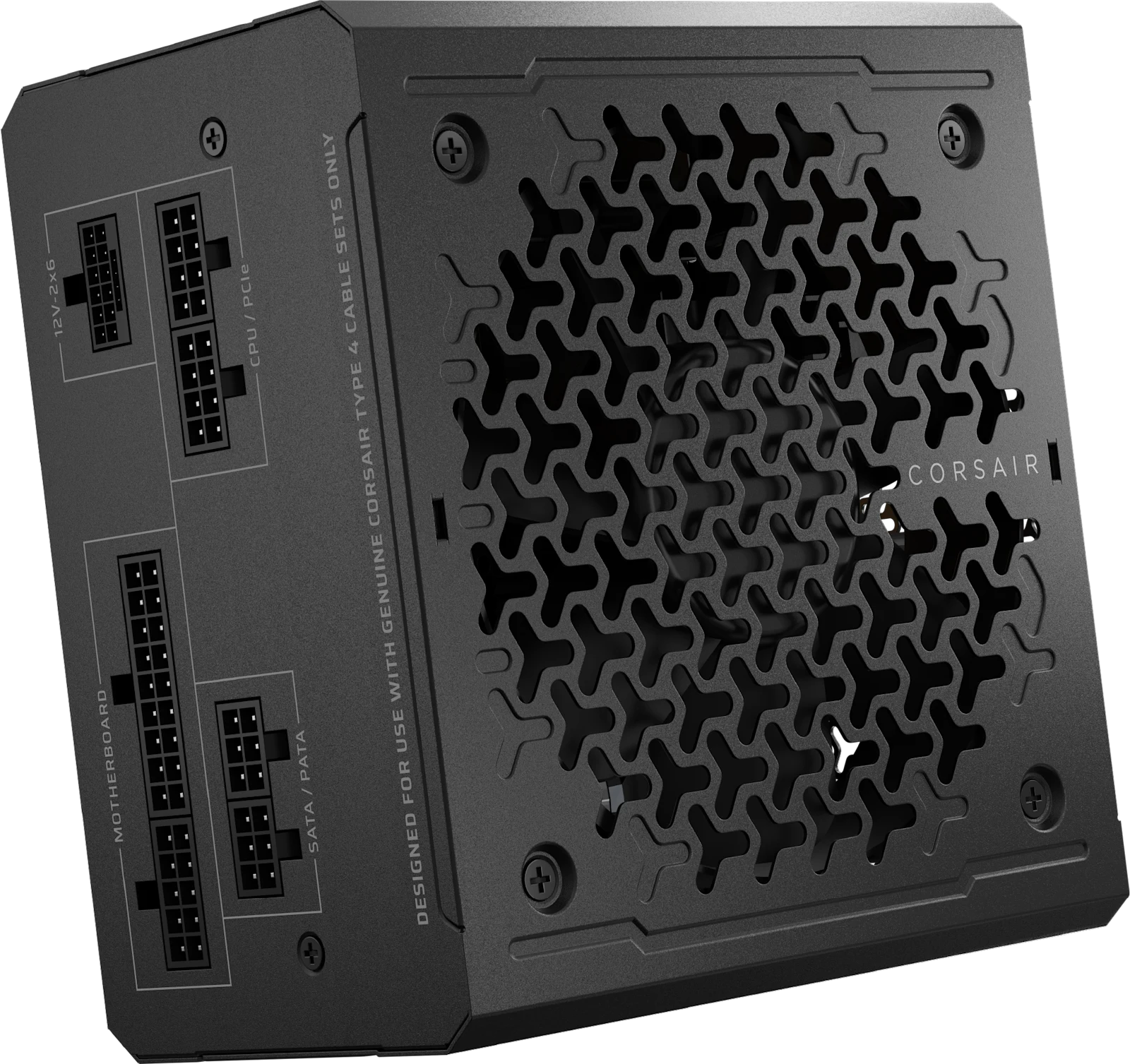
Corsair RM650e (2025), CP-9020302-NA. Manufacturer product image from Corsair; not our own test sample.
The buying rule
Replace your PSU when the planned build needs it—not simply because a larger unit is on sale. First identify your current model, your exact GPU, the rest of the system and the required connections.
Affiliate disclosure: As an Amazon Associate I earn from qualifying purchases. As an eBay Partner, I may be compensated if you make a purchase through eligible links. The retailer links below support this website.
Your graphics card's power figure is not the whole computer's requirement. Account for the CPU, other components, brief power spikes and any planned overclocking. Begin with the recommendation for the exact graphics-card model, then check the assumptions behind it. Factory-overclocked versions can differ.
A manufacturer PSU calculator can help estimate capacity. Treat its output as a starting point: it does not inspect your case, cables or existing power supply, and it recommends that manufacturer's products.
What should change your decision?
Your situation
What to do before buying
Keeping an existing PSU
Check its exact model, condition, connections and suitability for the new build. Age alone is not a complete diagnosis.
Choosing between capacities
Compare the exact models and complete-system requirements. More watts cannot compensate for missing connectors or poor electrical performance.
Planning another GPU upgrade
Budget for a realistic next component. Paying for capacity you never use is still extra spending.
Upgrading an office prebuilt
Verify motherboard power connections, mounting and dimensions. A standard ATX replacement may not fit or connect.
Our approach: settle the required capacity first, then compare quality and cost within the suitable range. There is no universal “850W is best” rule for budget buyers.
A plug that fits is not proof that a cable is compatible.
When replacing a modular PSU, use the cables supplied with the new unit, or replacements explicitly approved for that exact model. Do not carry old modular cables into the new build merely because the plugs fit. Corsair's own compatibility chart distinguishes cable types within its range.
Count the connections: check the motherboard's CPU/EPS sockets and the GPU's required power inputs. EPS and PCIe cables are not interchangeable.
Check the connection's rating: a 12V-2x6 socket does not automatically mean every PSU supplies 600W through it.
Follow both manuals: use the PSU and GPU makers' instructions for cable routing, insertion and connector allocation. Fully seat connections and leave the specified bending clearance.
Measure the space: include the PSU body, plugs and cable routing—not only the advertised case support for an ATX PSU.
ATX 3.1 describes a PSU specification; it is not a motherboard socket. SFX and ATX also refer to different physical PSU formats. Check both the electrical requirements and the enclosure.
Installation reference: Corsair RMe 2025 manual. Disconnect mains power before installation. Never open the PSU enclosure; use a qualified technician if you are unsure.
Gold efficiency is useful. It is not a complete quality score.
80 PLUS certifies efficiency under its testing programme. A Gold badge does not tell you everything about noise, voltage stability, protection behaviour or long-term reliability.
Look for testing of the exact model and revision. Useful electrical reviews measure voltage regulation, ripple, transient response and protection behaviour. Noise testing should describe its load and conditions. A review of a different wattage or an earlier version is not automatically transferable.
Warranty length and local support also matter, but a long warranty cannot promise zero failures. Compare the seller, return window, included cables and delivered total alongside the specification sheet.
A worked example: Corsair RM650e (2025)
This is a researched candidate for a compatible system whose complete requirements fit a 650W supply. It is not a blanket recommendation for every midrange graphics card, and we are not presenting a live deal.
CHECK THE REVISION · CP-9020302-NA
What the RM650e example gets you
Corsair specifies 650W continuous output, fully modular cabling, ATX 3.1 compliance and a 140 × 150 × 86mm body. The US product page lists a seven-year warranty. Confirm the region and seller's warranty eligibility.
Independent evidence: Hardware Busters tested the ATX 3.1 model and reported strong overall performance and low noise, while noting high inrush current, weaker 3.3V transient response and protection settings it wanted improved. Those results belong to the reviewer's sample; we have not tested it.
The limitation worth noticing: that review identifies the 12V-2x6 output as configured for 300W. Do not infer a 600W output from the connector shape, or assume that changing the cable changes the PSU's limit.
Consider it if: the full system, GPU connection requirements and case fit are confirmed. Skip it if: you need more total capacity, a higher-rated GPU connection, an SFX unit or quieter/better-performing alternatives that make more sense at the live price.
Affiliate searches, not a selected seller or a verified offer. Results may include other revisions and capacities. Match CP-9020302, the 2025 version and the correct regional package; confirm all cables, condition, seller and final cost. No price, coupon or stock claim is made.
Save this before checkout
“My CPU is ___. My exact graphics card is ___. Its recommended system power and connections are ___. My case supports ___. This PSU's exact model is ___, and its included cables meet those requirements.”
If a field is missing, resolve it before ordering. A useful upgrade starts with compatibility, then earns its place on performance and price.
Still choosing the graphics card?
Compare the workload and memory trade-offs before sizing the rest of the build.
Sources checked October 31, 2026: Corsair's specifications, manual, cable guidance and calculator; CLEAResult's efficiency programme; and Hardware Busters' original testing. Product links are shopping starting points, not verified discounts. Our editorial standards.
Need help checking a pairing? Share your exact CPU, GPU, PSU, case, country and budget with r/BudgetComputers. Leave out serial numbers and personal information.