Better desk setups · Compatibility before checkout
Before buying a monitor arm: five checks that prevent a bad fit.
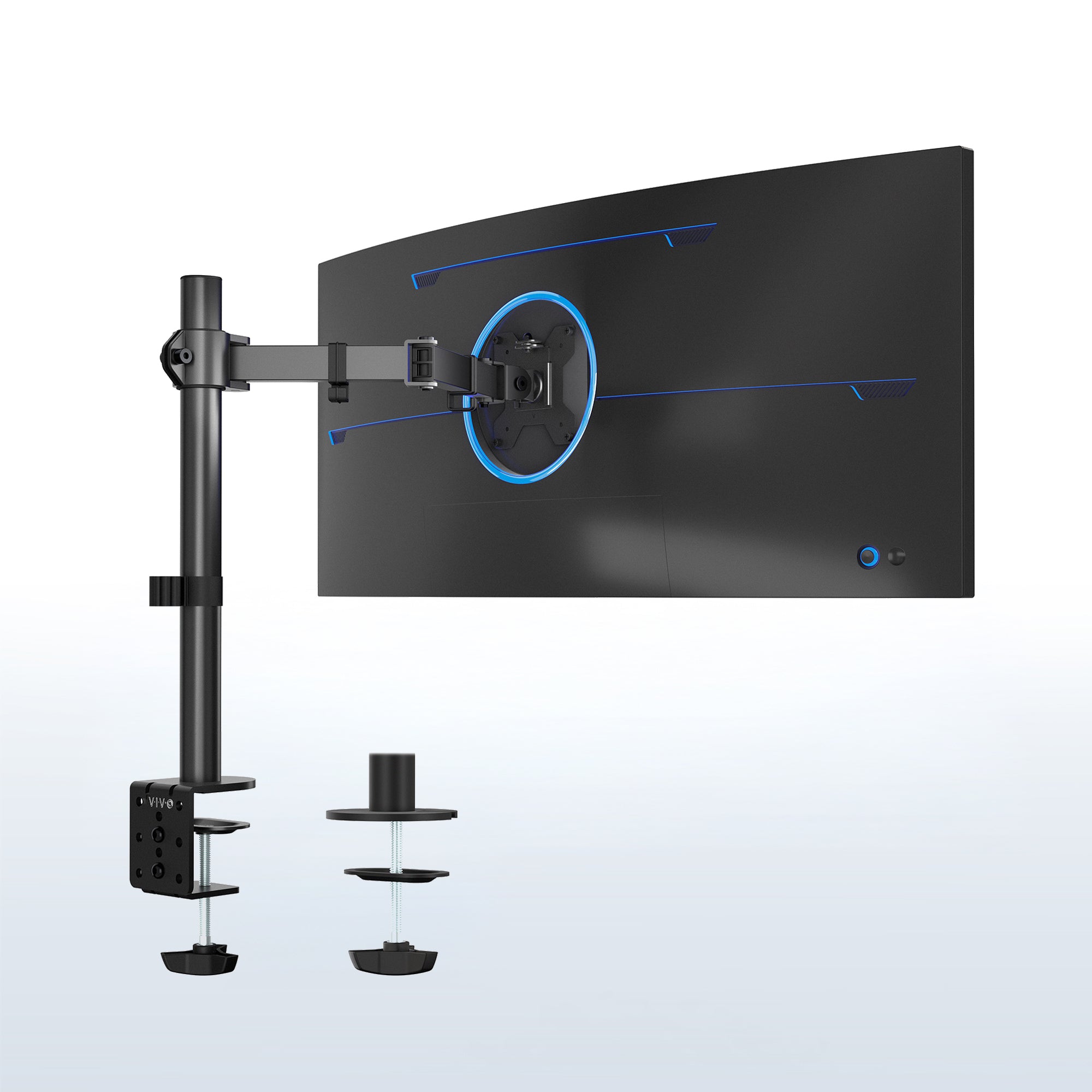
VIVO STAND-V001. Official product image: VIVO. Display shown for illustration; a monitor is not included.
A monitor arm can reclaim the space occupied by a bulky stand. But “fits 27-inch screens” does not tell you whether it fits your monitor, your desk or the way you work. Check those three things before buying an accessory you cannot use.
BudgetComputers Editorial · October 22, 2026 · Research-based guide; not hands-on testing.
Our verdict
A monitor arm is worth considering when the current stand limits useful desk space or screen positioning. Keep the original stand if it already gives you the position and space you need.
The VIVO STAND-V001 is a conditional option for a compatible single-screen setup that stays at one height most of the time. It is a pole-mounted arm with tool-based height adjustment, not a counterbalanced arm you simply lift and release.
Affiliate disclosure: As an Amazon Associate I earn from qualifying purchases. The shopping button below contains our affiliate tracking. This is a fit guide, not a live-deal alert; verify the seller, condition, delivered price and return policy.
Five checks before you order
Record these details for your exact monitor and desk
Check
What to establish
Why it changes the purchase
1. Supported load
Monitor weight without its original stand, plus attached accessories
The complete supported load must meet the arm’s limits. Check a minimum weight too if one is specified.
2. Mounting interface
VESA hole spacing, recessed mounting area and the monitor’s screw requirements
Matching hole spacing alone does not establish that the plate and screws fit.
3. Desk attachment
Thickness, construction, usable clamp area or suitable grommet hole
A desk that fits inside a clamp is not automatically approved to carry it.
4. Working position
Required height and reach, wall clearance and cable slack
An arm can place the screen too close or fail to reach your intended position.
5. Adjustment routine
Occasional setup changes or frequent repositioning
A tool-adjusted pole and a dynamic-height arm serve different routines.
Fellowes’ monitor-arm guidance confirms that stand weight is excluded, attached accessories count, and both screen width and worksurface shape affect planning. Its product ranges also illustrate why minimum and maximum loads deserve attention.
Look under the desk, not just at the screen
Measure at the intended attachment point. A rear frame, drawer or cable tray may occupy the space you expected the clamp to use. Before buying, send the desk and arm manufacturers the desk model and a photo if its construction or mounting suitability is unclear.
Do not treat a reinforcement plate as automatic permission to clamp onto an unsuitable surface. For glass, hollow or damaged desktops, get explicit compatibility confirmation rather than guessing from thickness alone.
“Height adjustable” can mean two different things
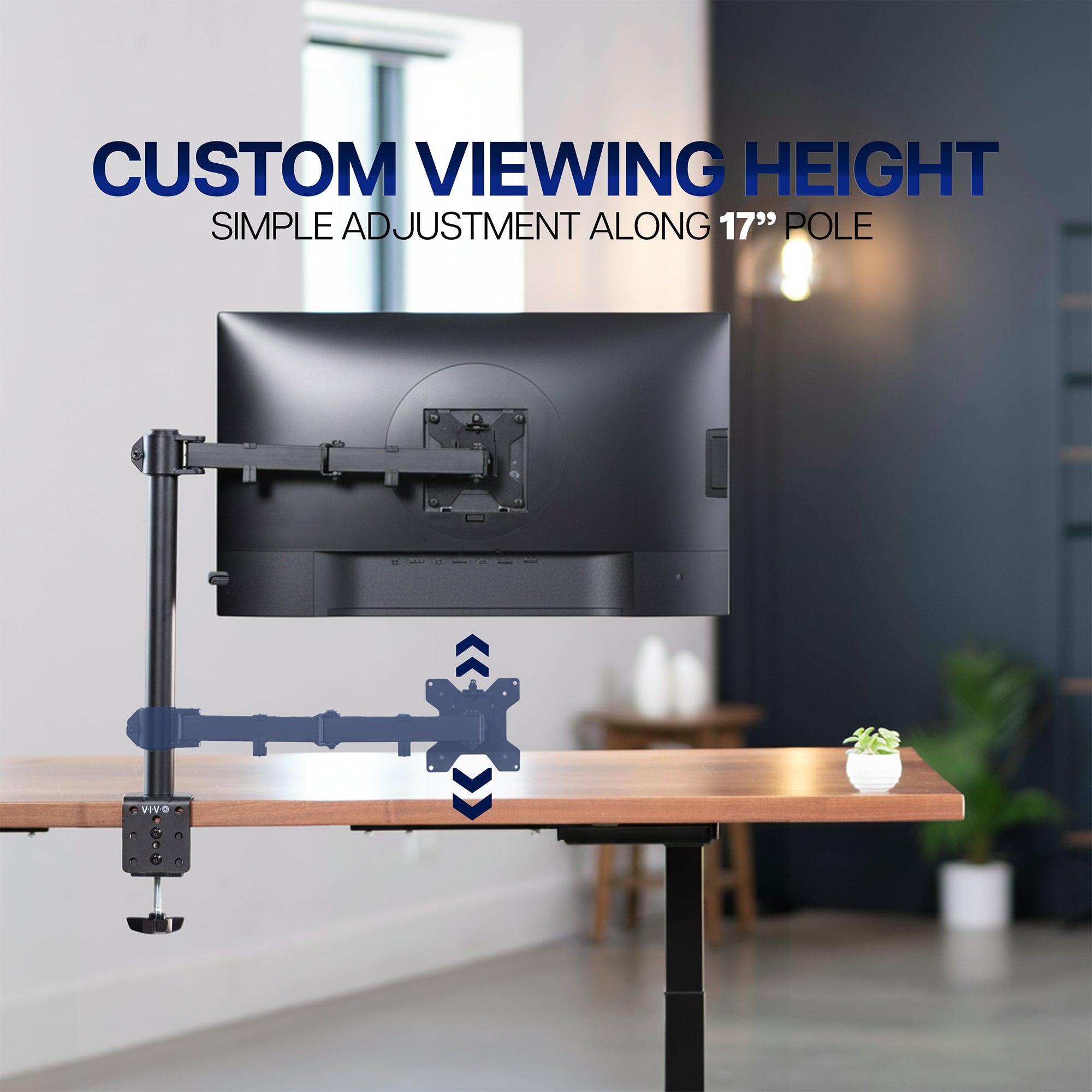
The STAND-V001 assembly manual shows the arm sliding onto a pole and being secured at the chosen height with a 5mm Allen wrench. Tilt adjustment also involves loosening and retightening a screw.
Our assessment: that approach can suit a mostly fixed desk position. If several people share the screen or you repeatedly change its height relative to the desk, investigate an arm designed for dynamic adjustment instead. On a sit-stand desk, remember that the desk itself already raises the attached screen.
A straightforward option—if your setup qualifies
SINGLE MONITOR · MOSTLY FIXED HEIGHT
VIVO STAND-V001, black
Published fit: most standard 13–32-inch screens and ultrawides up to 38 inches, within a 22lb weight limit, using 75 × 75mm or 100 × 100mm VESA mounting. The pole is 17 inches tall and maximum extension is 16 inches.
Good for: removing a large stand footprint while retaining a chosen screen position on a confirmed-compatible desk.
Skip it if: you need frequent tool-free height changes, have an unsupported monitor or desktop, or cannot obtain the required clearance.
Match STAND-V001 exactly; similarly named VIVO arms have different specifications. Confirm that the listing includes the mounting hardware you need. We have not verified a current Amazon price or discount.
A detail to resolve near the limit: VIVO’s product page states a maximum desk thickness of 3.25 inches, while its linked manual’s clamp diagram labels 10–85mm. Those maximums are not identical. If your desktop is close to the boundary, ask VIVO to confirm the exact revision before ordering.
Manufacturer illustration of height positioning. Changing this model’s height requires loosening and securing the arm as described in its manual.
The manual also instructs users to keep the monitor positioned over the desktop, rather than extended beyond its edge. Follow its installation steps and your display’s mounting instructions; this guide does not replace either.
When the sensible purchase is no purchase
Your stand already works: if the screen position and desk space are satisfactory, an arm may add little.
The desk is the unresolved problem: establish a suitable mounting surface before buying more hardware.
You are about to change monitors: check the replacement screen’s requirements before committing to an arm.
Monitor model → weight without stand → VESA pattern → desk model and mounting point → desired position. With those details, you can ask a manufacturer a specific compatibility question. Without them, a “universal” label is doing too much of the decision-making.
Research and limits
We checked VIVO’s product documentation and linked assembly manual, matched the Amazon STAND-V001 listing, and consulted Fellowes’ compatibility guidance. We have not load-tested the arm or assessed your desk. The fit discrepancy is disclosed because it could change an order.