Acer Nitro 1440p monitor for $135: the 200Hz catch to know
A sensible shortlist candidate for a sub-$150 monitor budget. The detail that matters: reaching 200Hz requires DisplayPort.
We may earn a commission from qualifying purchases through the Walmart links on this page, at no additional cost to you.
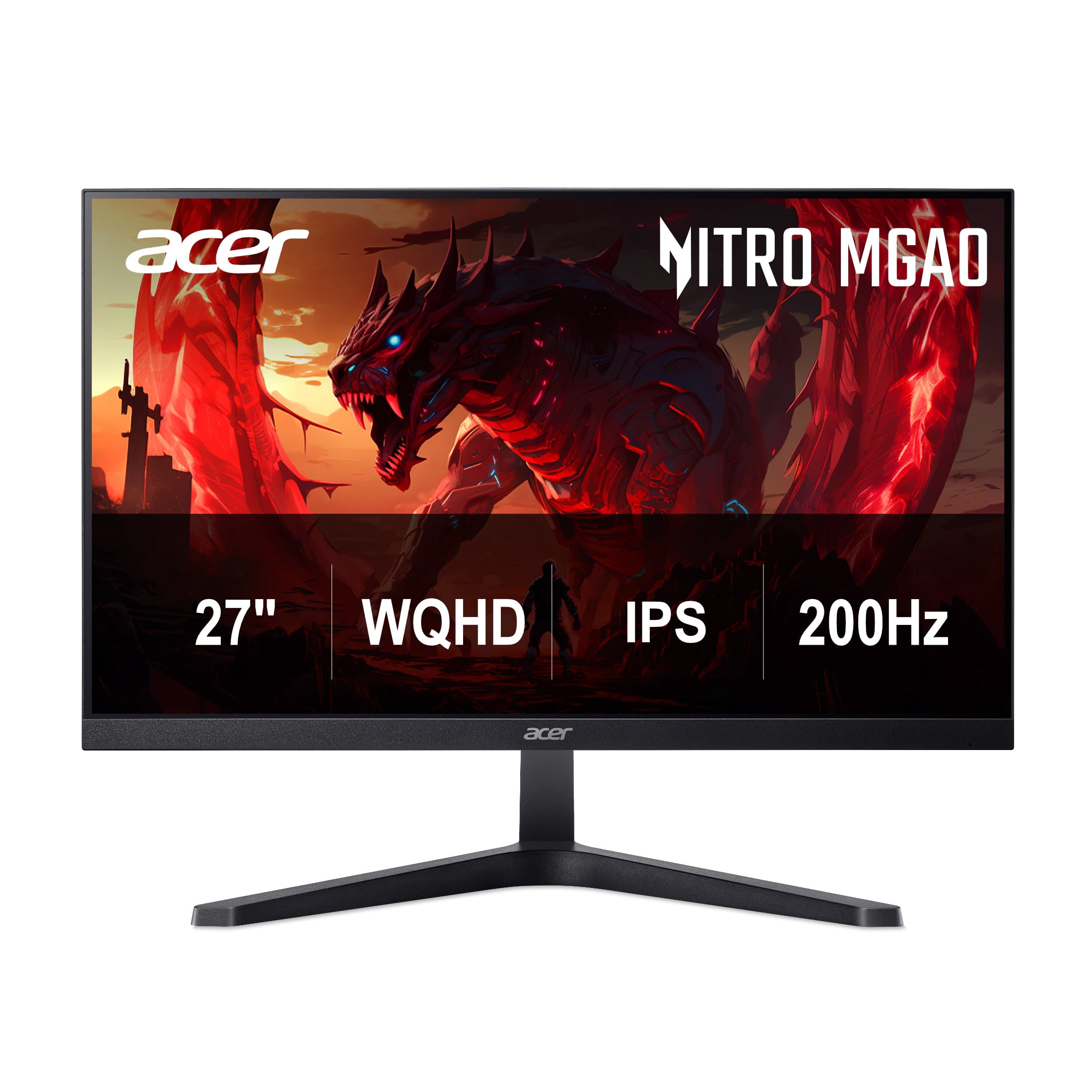
$135 before tax, sold and shipped by Walmart.com
Free shipping was shown to Sacramento, CA 95829. No coupon was required for the displayed price. Check your address, seller and final total before ordering.
Check price at WalmartPrice and stock can change. Walmart’s displayed $229.99 reference price makes the advertised saving $94.99 (about 41%). That is not a verified historical-low claim.
Our take: buy the useful upgrade, not the discount badge
If you are replacing a basic 1080p screen, this combines more workspace with a high-refresh option while staying below $150. That makes it worth considering for a shared gaming-and-study desk. The case is weaker if you already own a good 1440p high-refresh monitor: a bigger refresh-rate number alone is not a compelling reason to replace it.
Our recommendation is conditional on the $135 offer and your connection requirements. We have not measured this model’s motion handling, colour accuracy or input lag.
The specifications that change the buying decision
| Feature | Practical implication |
|---|---|
| 27-inch IPS, 2560 × 1440 | A useful resolution for a combined work-and-play desk. |
| Up to 200Hz over DisplayPort; 144Hz over HDMI at 1440p | Choose your connection before buying. HDMI does not provide the advertised maximum. |
| FreeSync Premium; Acer specifies DisplayPort VRR | Check compatibility with your graphics output. |
| 250-nit brightness, HDR10 support | HDR compatibility alone does not establish impressive HDR picture quality. |
| No height adjustment; 75 × 75mm VESA mount | Check eye level and include any arm or riser in your budget. |
| Advertised up to 0.5ms response | A manufacturer claim, not a measured input-lag result. |
Who should consider it?
- A first 1440p gaming setup: you have a compatible DisplayPort output and want to preserve money for the rest of the PC.
- A student or home-office desk that also handles games: one screen needs to cover documents, browser windows and evening play.
- A replacement for a basic 60Hz display: your current screen is the limitation, rather than an excuse to buy something new.
Skip it if…
- You need a height-adjustable stand included, or premium HDR is the main reason for upgrading.
- Your laptop only offers HDMI and you specifically want 1440p at 200Hz.
- You need independently measured motion performance or colour accuracy before committing.
For a laptop, a USB-C connector does not automatically provide video output. Check the laptop’s display capabilities and any adapter before spending extra. Our USB-C cable guide explains that distinction.
Check these three things when it arrives
- Use the appropriate connection. Match the monitor to an output and cable that support your target display mode.
- Set the refresh rate. In Windows 11, open Settings → System → Display → Advanced display, select this monitor and choose an available rate. Confirm the resolution remains 2560 × 1440.
- Try your actual workload. Check text, reflections, stand height and motion in the games you play during the applicable return window. A 200Hz monitor cannot make your PC render 200 frames per second.
Should you wait for a bigger sale?
We cannot predict the next price. At $135, this is worth a look if it solves a current need and the compromises fit. If your present monitor is doing its job, keep your money until an upgrade offers a benefit you will actually notice.
For alternatives by display type and use case, read our 1440p gaming monitor guide. Compare current prices rather than treating an older deal as still available.
Check price at WalmartSources and offer checks
- Walmart’s exact MGA270U X2biipx listing: price, new condition, Walmart.com seller, availability and shipping checked October 28, 2026; delivery location Sacramento 95829.
- Acer US specifications: exact model, display modes and stand.
- Microsoft: changing the display refresh rate.
Offer assessment, not a laboratory review. No claim of lowest-ever pricing or guaranteed gaming performance.