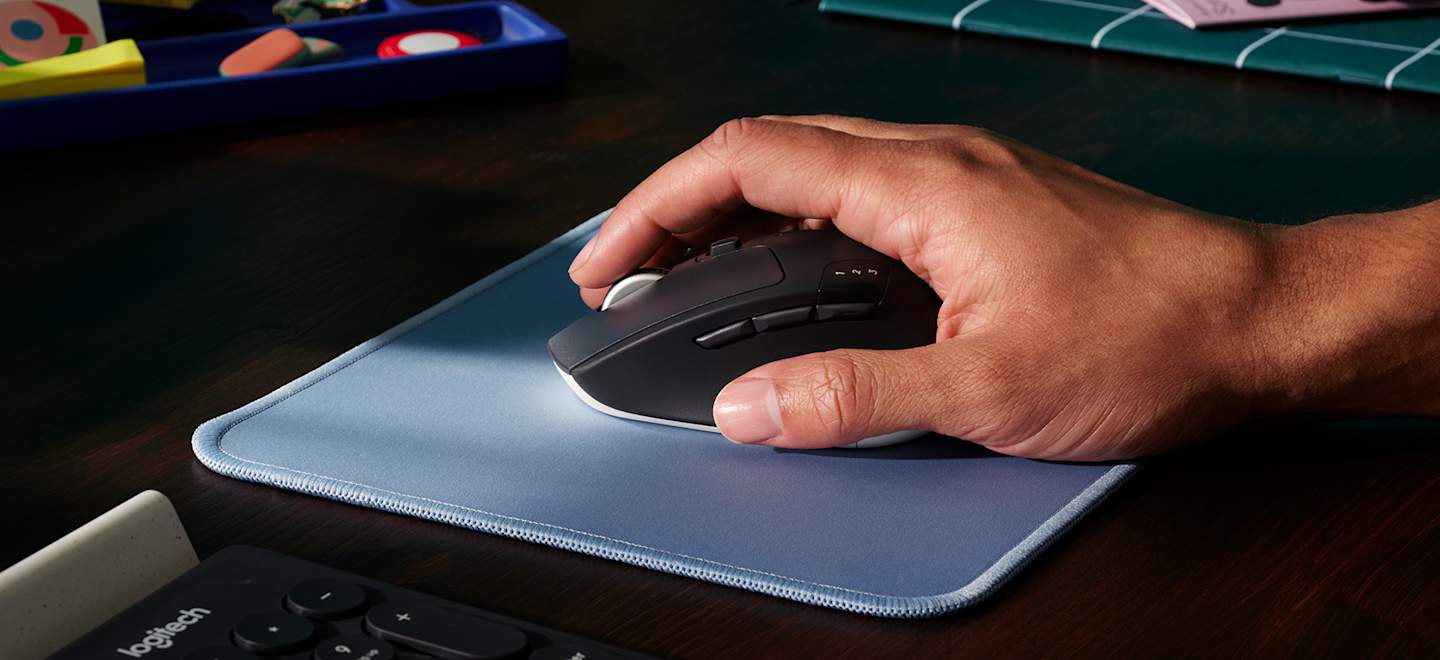
Logitech M720 vs G305: choose for your workday, not just the DPI.
M720 Triathlon shown. Official photograph: Logitech. This is product imagery, not a BudgetComputers test photograph.
If your day moves between spreadsheets, coursework and a second computer, a gaming mouse may leave out the feature you need most. These two Logitech models illustrate the trade-off: easier device switching and scrolling, or a lighter mouse built around gaming on one system.
BudgetComputers Editorial · October 22, 2026 · Research-based comparison; not hands-on testing.
Our verdict
Start with the M720 if work across multiple devices is the priority. Start with the G305 if gaming on one computer is the priority. Neither is an automatic upgrade over a mouse that already fits your hand and does its job.
The deciding question is practical: what frustrates you now—switching computers, scrolling through documents, or moving a heavy mouse in games? Pay for the feature that addresses that problem.
Affiliate disclosure: As an Amazon Associate I earn from qualifying purchases. The product buttons use our affiliate links. This is a comparison, not a verified sale alert. Confirm the exact model, seller, condition, delivered price and return terms at the retailer.
One replaceable AA; up to 250 hours in performance mode claimed
Advanced settings
Logi Options+
Logitech G HUB
Sources: Logitech’s M720 specifications and G305 specifications. Battery figures use different usage conditions and are not a head-to-head endurance test. Neither mouse charges through a USB cable.
Which one earns its place on your desk?
WORK & MULTIPLE DEVICES
Logitech M720 Triathlon
Good for: someone moving between a work laptop and personal computer, with documents or wide spreadsheets to navigate. Bluetooth can leave a USB port free.
The compromise: a fuller right-handed shape and more weight. Those are reasons to check fit, not proof of comfort for every hand.
Skip it if: your main goal is a lighter gaming mouse, you need a left-handed design, or you will never use its switching and scrolling features.
Good for: a buyer who wants a smaller, lighter option than the M720 and can leave its receiver connected to one computer.
The compromise: no Bluetooth and no M720-style device switching. A USB-C-only laptop needs a suitable USB-A adapter or hub for the receiver.
Skip it if: you need receiver-free connectivity, frequent computer switching, or a substantially lighter modern gaming mouse. Its 99g specification is relative to the M720, not a claim of class-leading weight.
For more on the gaming option, see our G305 buying guide. The manufacturer’s G305 page describes the HERO sensor and LIGHTSPEED system; those specifications do not establish how either mouse will feel in your games.
Four checks that prevent an unnecessary purchase
Count your devices and ports. If a work laptop and home PC share one desk, switching may matter more than the largest DPI number. If everything happens on one gaming PC, that convenience may add little value.
Compare the shape with your current mouse. Measure width and height as well as length. A taller body or different thumb position can change your grip. Test ordinary work and games within the return period; dimensions alone cannot establish comfort.
Check software permission. A managed work laptop may restrict installation. Confirm that the functions you intend to use are available without optional software, or that your IT policy permits it. Do not buy primarily for button customisation until you have checked.
Check the complete package. A low-priced used or open-box mouse without the right receiver can be poor value. Confirm what is included and how you will connect it before comparing totals.
A Logitech receiver is not a universal receiver
The M720 uses Unifying; the G305 uses LIGHTSPEED. Do not assume the receiver already in your laptop will work. Logitech also says Bolt and Unifying cannot be used interchangeably. Match the exact device and receiver family.
How much extra is the right feature worth?
Compare the current delivered prices of the exact models. If the M720 costs more, ask whether its switching and scrolling solve a daily inconvenience. If the G305 costs more, ask whether gaming is important enough to give up Bluetooth and multi-device convenience. A discount badge does not answer either question.
Skip both if you are replacing a working mouse only because a sale countdown is running. If your real problem is too few laptop ports, first assess the whole setup with our USB-C hub comparison.
The purchase should solve a specific problem
M720: a conditional choice for switching devices and document-heavy work. G305: a conditional choice for one-computer gaming with a dedicated receiver. Confirm fit and keep the one that improves your routine—not the one with the more dramatic specification label.
Research and limitations
We checked Logitech product and support documentation and matched the Amazon listings to the black M720 Triathlon and black G305. We have not tested click latency, battery endurance, durability or comfort, and have not verified a live Amazon discount. The recommendations are editorial judgments about the documented features, not laboratory rankings.