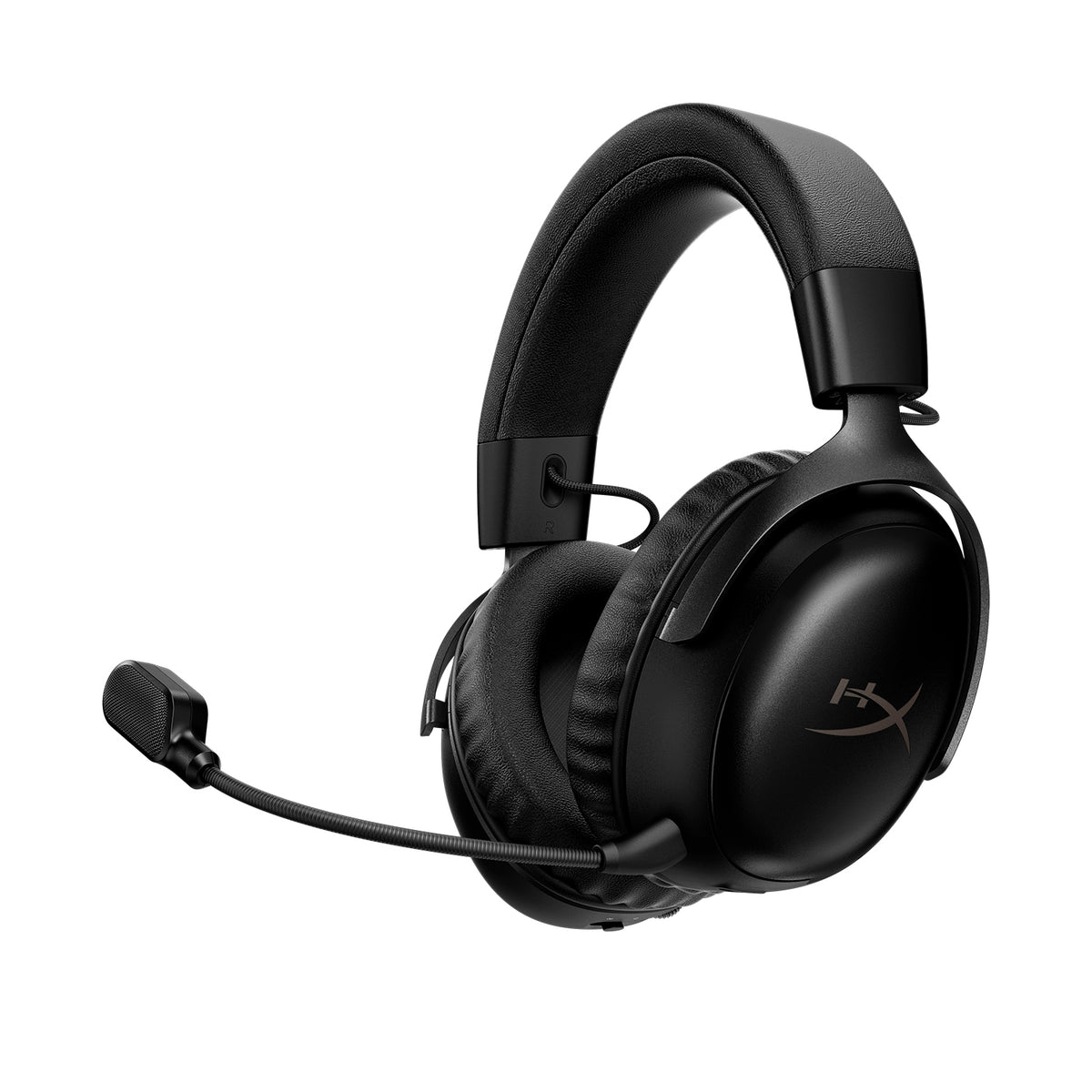
Cloud III S Wireless in black. Product image: HyperX. The wired model is a separate product.
The same family name hides different connections. Choose for your console, desk and phone before paying extra to lose the cable.
BudgetComputers Editorial · October 21, 2026 · Research-based comparison; not our own hands-on testing.
The verdict in 30 seconds
Start with the wired Cloud III if you play at a desk or need Xbox compatibility. Consider the Cloud III S Wireless when cable-free PC or PlayStation gaming and Bluetooth phone use are worth the extra cost to you. The older Cloud III Wireless lacks Bluetooth and is now marked discontinued on HyperX’s US page.
For an Xbox buyer, the S Wireless is not an upgrade path: it is incompatible. For a PC buyer who stays seated, wireless is a convenience purchase, not a promise of better sound.
Three names, three different purchases
Connection differences that matter before checkout
Model
Connection
Xbox
Main buying consideration
Cloud III wired
3.5mm; USB-C / USB-A with included adapter
Yes, through the controller’s 3.5mm socket; USB adapter does not work on Xbox
No battery charging; cable remains attached during use
Cloud III Wireless
2.4GHz USB receiver; no Bluetooth or analog audio
No
Older, discontinued model: remaining stock needs a compelling price and clear seller terms
Cloud III S Wireless
2.4GHz receiver and Bluetooth; no wired audio
No
Switch between wireless modes; do not expect simultaneous game-and-phone audio
Affiliate disclosure: As an Amazon Associate I earn from qualifying purchases. These links open exact product listings. Confirm the selected version, seller, condition, returns and total price. No live Amazon discount or coupon is claimed here.
DESK GAMING · PC, PLAYSTATION & XBOX
Cloud III wired · Black/Red
Why consider it: analog and USB connection options, a detachable boom mic and no charging routine. This is the simpler starting point if a cable does not bother you.
The compromise: you remain tethered. RTINGS found comfortable construction and strong microphone performance, but weak noise isolation and a bass-light default sound. Those are their test findings, not ours.
Skip it if: you need wireless movement or effective isolation in a noisy shared room.
Why consider it: 2.4GHz gaming connectivity plus Bluetooth for compatible phones. HyperX rates battery life at up to 120 hours on 2.4GHz or 200 hours on Bluetooth; actual runtime varies.
The compromise: no wired-audio fallback, no Xbox support and no simultaneous Bluetooth/2.4GHz playback. Tom’s Hardware praised its comfort but flagged the lack of an analog connection.
Skip it if: you need Xbox, mixed phone-and-game audio, or only want to avoid a cable occasionally.
Compare the delivered prices of the exact versions, including any necessary adapters. The wireless premium is the S Wireless total minus the wired total. Ask what that difference buys in your own routine.
You stay at one desk: favour the wired model when it costs meaningfully less. Keep the saving for a more pressing upgrade.
You regularly move away from the desk: wireless freedom has a clear purpose. Decide your maximum premium before browsing sale badges.
You need phone audio as well: the S model’s Bluetooth matters. The original Wireless version does not offer it.
You already own a comfortable, reliable headset: keep it unless you can identify a problem this purchase solves.
Illustration only: if your checkout totals are $60 wired and $120 wireless, removing the cable and adding Bluetooth costs you another $60. Those figures are not current offers or target prices.
The sale-season traps to avoid
Do not buy the name alone. “Cloud III,” “Cloud III Wireless” and “Cloud III S Wireless” are not interchangeable. HyperX’s US store labels the original Wireless discontinued as of this check; that does not mean all retailer stock has disappeared or that existing units stop working. It does mean you should compare its remaining-stock price against the S model before buying.
A charging port is not proof of wired audio. Neither wireless model here provides the wired fallback offered by the analog Cloud III. Likewise, the wired model’s included DTS licence and USB features do not transfer to Xbox simply because the headset works through the controller.
A larger driver number is not a sound-quality ranking. Prioritise fit, spoken microphone samples and the connections you will use. Treat retailer discount percentages as context, not the reason to choose a version.
Before you place the order
Write down every device you need: PC, PS5, Xbox or phone.
Match the exact model to the connection table above.
Check that the microphone, receiver or USB adapter required for that version is included.
Compare the final total and check returns, especially for open-box or marketplace offers.
After delivery, test game audio, microphone and comfort during the return window.
Need a headset mainly for meetings? Start with our video-call upgrade guide before paying for gaming features.
Sources and editorial method
We checked HyperX’s wired, original Wireless and S Wireless documentation and matched the linked Amazon product titles. Independent performance observations are attributed to RTINGS and Tom’s Hardware above. Our buying verdict weighs compatibility, purpose and extra cost; we have not tested these units or verified a live lowest price. Review dates and testing methods differ, so we do not combine their scores into a new rating.