Are budget Hall-effect keyboards worth it?
Rapid trigger has a practical purpose. That does not mean every gamer needs a new keyboard—or that an 8,000Hz label justifies a bigger bill.
Disclosure: As an Amazon Associate I earn from qualifying purchases. The product link below is an affiliate link.
The BudgetProtector verdict
The wired NS68 is a budget route into adjustable actuation and rapid trigger—not a universal keyboard upgrade. Consider it only if you want those controls and accept compromises in software, materials and customisation. If your current keyboard works well and you mainly write, browse or play slower-paced games, keeping it is a reasonable decision.
For the wired Gamakay NS68, our suggested shopping ceiling is about $50 before tax. This is an editorial budget limit, not a current Amazon price, a live deal or proof that it beats competing keyboards at that price. Compare the delivered cost and ownership trade-offs before buying.
What rapid trigger actually changes
With a conventional fixed reset point, a key must travel back past a particular point before another press can register. Rapid trigger can reset and reactivate according to changes in key movement. That can make repeated inputs feel more responsive without requiring a full release.
Adjustable actuation is a separate control: it changes how far you initially press before an input registers. A very shallow setting can also make accidental presses easier. Start with a comfortable setting and adjust it in your own games.
Technical reference: Wooting’s explanation of rapid trigger. This explains the feature; it is not a benchmark of the NS68.
8,000Hz is not eight times better gameplay
A polling rate of 1,000Hz corresponds to one report interval per millisecond. At 8,000Hz, that interval is 0.125 milliseconds—a theoretical difference of 0.875 milliseconds between intervals.
Those numbers describe reporting cadence, not the complete delay between pressing a key and seeing a response. Firmware, game processing and display behaviour also matter. Do not treat the polling figure as a measured end-to-end latency result or a promise of better aim.
One model worth investigating: Gamakay x NaughShark NS68
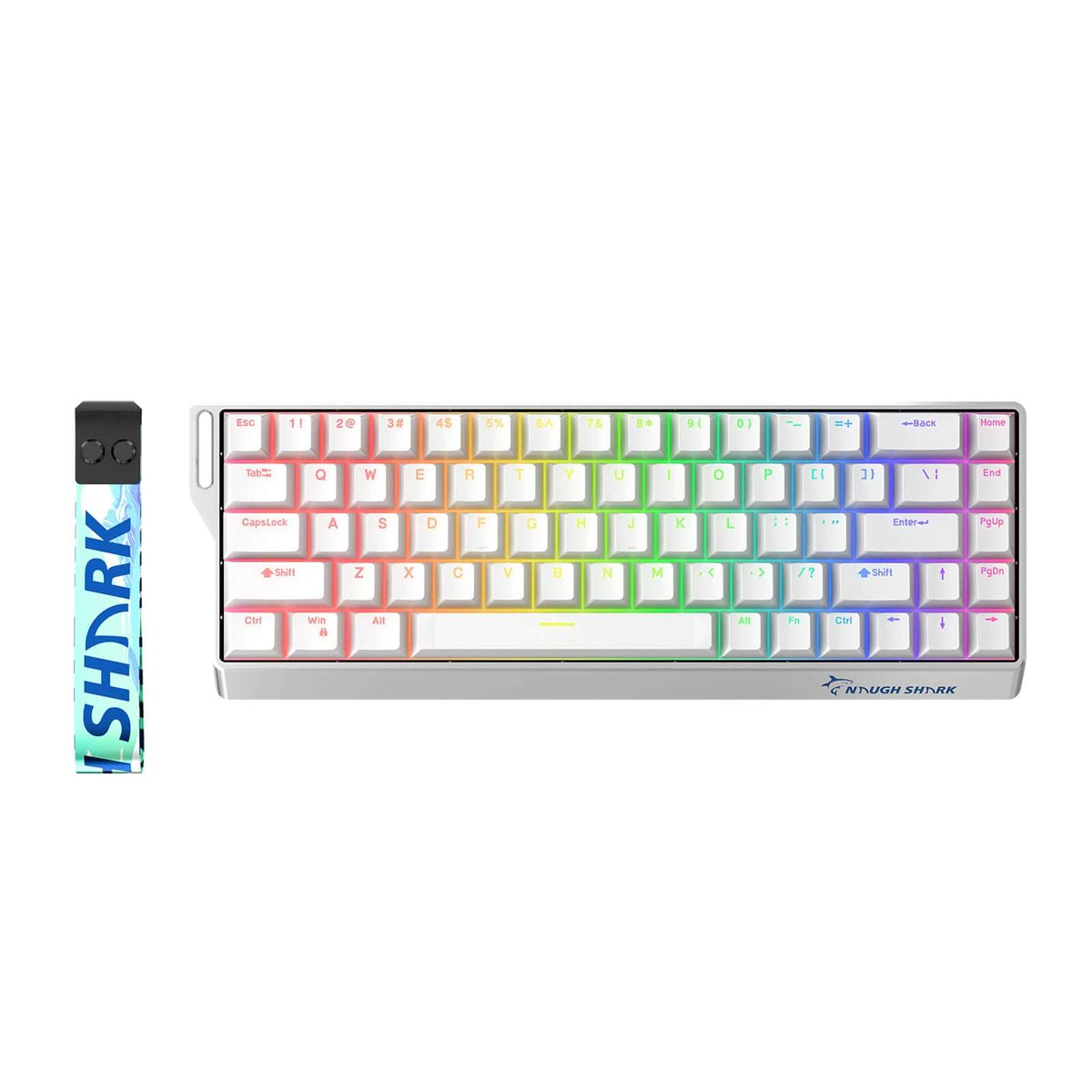
The NS68 is a compact 68-key ANSI keyboard offered in wired and tri-mode versions. Gamakay lists magnetic switches, adjustable actuation and an 8,000Hz wired polling mode. The exact version matters: connectivity and keycaps vary.
PC Gamer’s hands-on review of the wired NS68 praised its Hall-effect features, PBT keycaps and software capabilities. Its reservations included lightweight plastic construction and a clunky software interface. That makes it a candidate for buyers who value configurable gaming inputs more than a premium case or polished software.
Our recommendation is conditional: check the current price, select the intended wired configuration and make sure the layout suits your everyday work. Buy for the features you will use, not the size of a discount badge.
Check the NS68 configuration and price on AmazonAffiliate link · Prices, seller and availability can change. Match the selected variant before ordering.
Software support is part of the purchase
GamaKay provides a browser configurator and lists an NS68 Windows download on its official software page. Browser access is convenient, but continued access depends on the service remaining available. A downloadable option offers another route; it does not guarantee future operating-system compatibility or long-term support.
Check configuration support for your own computer before ordering. Keep a copy of the correct installer and instructions. We have not tested offline configuration or what happens if the web service closes, so we cannot promise that all settings would remain accessible. That uncertainty is about configuration access—not evidence that the keyboard would stop typing.
Switch feel and upgrade options need a closer look
The NS68 uses Outemu Peach magnetic switches. A hot-swap claim does not make switches universally interchangeable: GamaKay specifies N-pole magnetic compatibility. Ask for confirmation of the exact replacement switch and firmware support before spending money; do not assume ordinary mechanical switches will work.
Its arrow cluster is useful, but this 68-key layout is not a standard 60% layout. Do not buy a standard 60% aftermarket case expecting a drop-in fit. We have not verified a compatible aftermarket case, so case upgrades should not be a reason to choose it.
Sound and feel are not settled by the age of a switch design. PC Gamer’s original hands-on review described smooth, light travel. A later hands-on comparison with the Razer Reclusa X Mini 65% preferred the Razer’s construction and found more keycap movement on the NS68. Those are reviewers’ observations, not our own testing. If typing comfort comes first, compare a conventional mechanical keyboard too; we have not verified a current competing offer.
Check these details before spending
| Check | Why it matters |
|---|---|
| Wired or tri-mode? | Choose the connection you need. Do not assume a wired listing includes Bluetooth or a wireless receiver. |
| Side-printed PBT or shine-through ABS? | Gamakay lists different materials for these variants. Side legends may be inconvenient if you frequently look down at the keys. |
| Compact layout | There is no dedicated number pad or full function-key row. Check the key map if you use spreadsheets or function shortcuts daily. |
| Software and switch compatibility | Confirm that configuration works on your computer. A magnetic hot-swap socket is not a promise of compatibility with ordinary mechanical switches. |
| Seller and returns | Compare the delivered total and return terms. A small saving is less useful if the wrong variant arrives or returning it is difficult. |
Configuration reference: Gamakay’s NS68 specifications and variant options.
Who should buy—and who should skip it?
Worth a closer look
You play movement-sensitive games, want to experiment with rapid trigger and can accept a compact wired keyboard with budget materials.
Keep shopping—or keep what you own
You prioritise typing feel, polished software, established case/switch upgrade options, a number pad or wireless connectivity—or already own a keyboard that meets your needs. Very sensitive actuation can cause accidental inputs; lower sensitivity may suit you better.
Before enabling features such as Snap Tap or input automation, check your game and competition rules. Do not assume every feature advertised on the box is permitted everywhere.
Spend where the problem is
A keyboard will not fix low frame rates, an uncomfortable mouse or an unreliable connection. Write down the problem you want to solve before choosing the upgrade. If you cannot name one, save the money.
For a wider desk upgrade, read our Logitech G305 buying analysis. For a slow PC, start with what to upgrade first.