A laptop for WoW: spend on the game you actually play.
Shopping with $600–$1,000? Start with your version of World of Warcraft, then compare the complete laptop. Two exact configurations below give you a useful starting point.
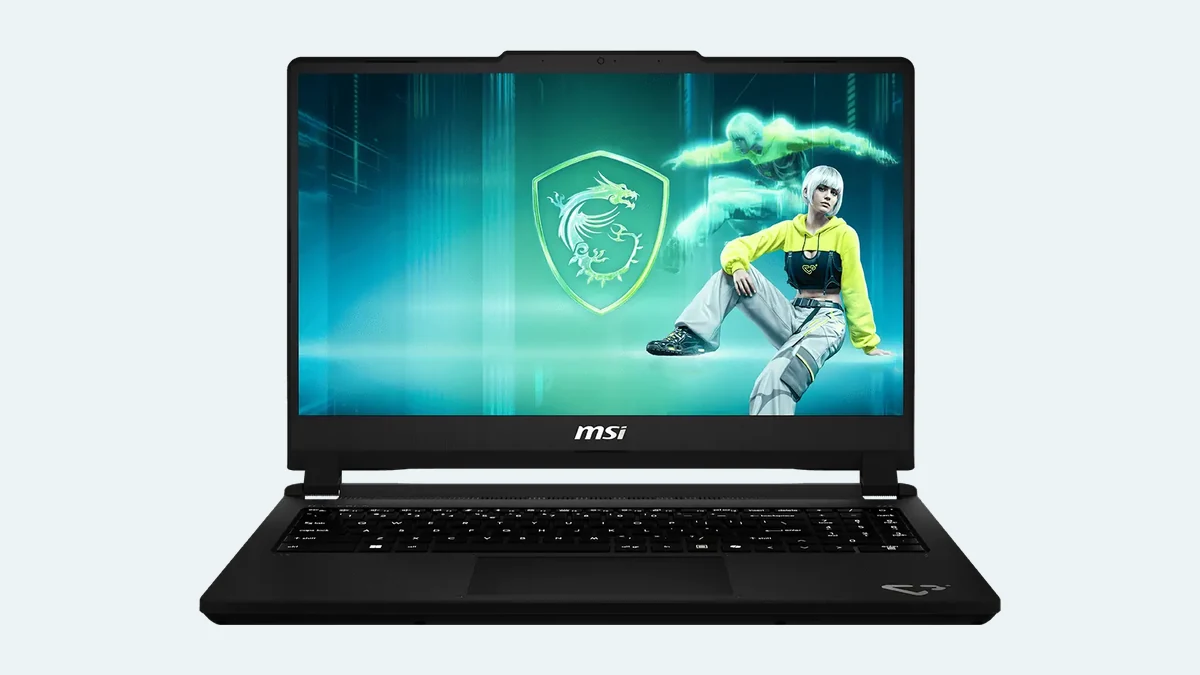
MSI’s official Cyborg 15 C13W product image; the configuration discussed is C13WE-093US. Manufacturer artwork on the display is not a WoW screenshot or performance test. Image source.
BudgetComputers Editorial · November 7, 2026 · US buyers · Research-based guidance; no hands-on laptop tests.
Affiliate disclosure: We may earn a commission through the Amazon and Walmart purchase links. As an Amazon Associate I earn from qualifying purchases.
The practical starting point
For a new laptop intended for casual WoW at 1080p or 1200p, our shortlist starts with 16GB RAM, SSD storage and an exact RTX 4050 or RTX 5050 configuration. This is a buying starting point, not a guarantee of a particular frame rate or graphics preset.
Buy only if the complete offer fits: the model, delivered total, seller and return terms must make sense together. The $600–$1,000 range is your spending ceiling, not a claim that every example is available within it today.
Retail and Classic have different requirements. Check the requirements for the version you intend to install. Blizzard’s published Windows recommended configuration for modern WoW includes 16GB RAM and an SSD with 128GB available; a minimum requirement is not a promise of smooth play at your preferred settings.
Describe your actual target: questing, dungeons, raids, or an external high-resolution monitor. A quiet starting zone is not a useful stand-in for the busiest activity you plan to play. Seek tests of the same laptop configuration, game version and settings wherever possible.
These are researched candidates, not a benchmark ranking or confirmed live deals. Choose between them using the checkout totals and the features you need.
Model-specific comparison · specifications reviewed November 7, 2026
Check
MSI Cyborg 15 C13WE-093US
ASUS TUF Gaming F16 FX607VU-SS53
Processor
Core i5-13420H
Core 5 210H
Graphics
RTX 5050 Laptop · 8GB
RTX 4050 Laptop · 6GB
RAM / SSD
16GB / 512GB
16GB / 512GB
Display
15.6″ · 1920×1080 · 144Hz
16″ · 1920×1200 · 144Hz
Decision point
More graphics memory; check power and storage limits below.
Taller 16:10 display; compare its complete price with newer alternatives.
Sources: MSI’s exact US configuration table and the named ASUS retailer listing below. Verify the full model suffix; other Cyborg and TUF versions differ.
Choose the offer that earns your budget
Price status: live checkout price, stock and seller terms are not confirmed for this guide. Check the exact listing, delivery to your ZIP code, tax and any coupon or membership conditions. We are not advertising a saving or deadline.
8GB graphics candidate
MSI Cyborg 15 C13WE-093US
Consider it: for a plugged-in gaming shortlist when the complete price is competitive.
The catches: MSI specifies a 70W maximum graphics power, one 16GB memory module and one M.2 SSD slot. Increasing internal storage means replacing the installed drive, not adding a second one.
Skip it: if the total approaches a better-reviewed configuration with the screen, cooling or storage you need. Extra VRAM alone does not prove faster WoW performance.
Affiliate link · match C13WE-093US and inspect who sells and ships it.
16-inch display alternative
ASUS TUF Gaming F16 FX607VU-SS53
Consider it: if you prefer the taller display and its final price leaves a meaningful saving over suitable newer options.
The catches: 6GB graphics memory and a 512GB SSD. Do not transfer a review of a different TUF F16 configuration to this one.
Skip it: if an RTX 5050 or 5060 laptop with comparable overall quality costs about the same. Check exact-machine reviews before deciding which is faster.
Affiliate link · selected model must be FX607VU-SS53.
Where your money can make a useful difference
GPU name, power and the rest of the laptop
CPU and GPU limitations interact. A faster GPU cannot remove every CPU or software bottleneck, and more permitted GPU power is not a proportional frame-rate guarantee. Compare sustained game results from the exact machine rather than assuming a higher badge wins. Intel explains the CPU/GPU relationship.
Memory and storage before cosmetic extras
Our practical target is 16GB RAM. Consider 32GB if your measured multitasking needs justify it, not as an automatic WoW requirement. A 512GB SSD may suit a small game library; Windows, updates and other games also need space. Price the storage you expect to use before comparing two laptop totals.
A good return policy is part of the offer
Use the return period to check the keyboard, fan noise, screen and your normal play session. Keep the packaging, note the deadline and check whether a return has conditions or fees. An expensive replacement is a poor way to discover that the original issue was your connection.
Five checks before you pay
Set an all-in ceiling. Include shipping, tax and any immediate memory or storage upgrade. Do not quietly turn a $1,000 budget into a $1,250 purchase.
Match the full SKU. Record CPU, GPU, memory, SSD and panel. Save the listing’s specifications and terms.
Compare another real offer. A crossed-out price does not establish value. If no suitable new laptop meets the budget, wait or revise the shortlist.
Plan for plugged-in play. Battery runtime for writing or video is not a gaming-runtime promise. Use the supplied power adapter and follow the manufacturer’s power-mode guidance.
Test the problem you bought it to solve. Try the game version and activity you play, with your usual peripherals. Separate low frame rate from network delay before blaming the hardware.
Questions worth settling before checkout
Does a 144Hz screen mean 144fps in WoW?
No. Refresh rate describes the screen’s capability. Game frame rate depends on the workload, configuration and settings. We have not measured either candidate in WoW.
Should I wait for Black Friday?
Wait if your existing laptop is adequate and neither current offer fits your target. Buy when you need the machine and an exact, competitive offer passes the checks above. A calendar date cannot guarantee the lowest price. Use our Black Friday price-check guide.
Will a new laptop fix lag?
It depends on what “lag” means. Stuttering frames, delayed actions and disconnections need different troubleshooting. Blizzard separates connection and FPS issues. Try those checks before replacing an otherwise suitable machine.
Research reviewed November 7, 2026. This is BudgetComputers editorial analysis of published specifications, not a hands-on review, verified sale or FPS forecast. Retailer pages identify comparison candidates; prices and seller availability require checking at purchase. Editorial policy · Report a correction.