Black Friday Gaming Laptop Deals: Is the More Expensive Model Worth It?
Before spending more, identify what the extra money improves in the games and applications you actually use.
Affiliate disclosure: BudgetComputers may earn a commission from qualifying purchases through the retailer link below. This guide does not present a verified live offer.
The quick answer
A cheaper gaming laptop can become an expensive compromise. A more expensive one can charge you for performance you barely use. Compare the complete laptop—not just its graphics-card name, processor badge or advertised discount.
Shortlist the least expensive machine that meets your needs, one better-equipped alternative and your maximum-budget option. For every price increase, identify a benefit you will actually use.
Start with your workload
| Your main use | What deserves attention |
|---|---|
| Casual gaming and schoolwork | Adequate gaming performance, a comfortable screen and manageable weight. |
| Demanding games | Exact-model gaming benchmarks, graphics power, cooling and VRAM. |
| Gaming plus rendering or compiling | CPU and GPU performance in your applications, plus sufficient memory. |
| Frequent travel | Tested battery life, laptop-and-charger weight, ports and warranty. |
A powerful processor may justify paying more for demanding work. That does not automatically make it the best purchase for someone who mainly plays games.
An RTX badge is only the beginning
NVIDIA lists a range of power configurations for its laptop GPUs. The manufacturer’s implementation matters: a graphics name alone does not describe the complete machine.
Look for independent testing of the exact configurations. Compare similar resolutions and settings, and distinguish ordinary rendered frame rates from results using frame generation. Our RTX 5060 versus RTX 5070 laptop guide explains the specifications and review limitations.
Do not assume a more expensive laptop delivers a proportional improvement. In a hypothetical example, a $1,200 laptop costs 20% more than a $1,000 alternative. Does that extra $200 buy performance, a better display, more memory or another benefit you need? These are illustrative prices, not live offers.
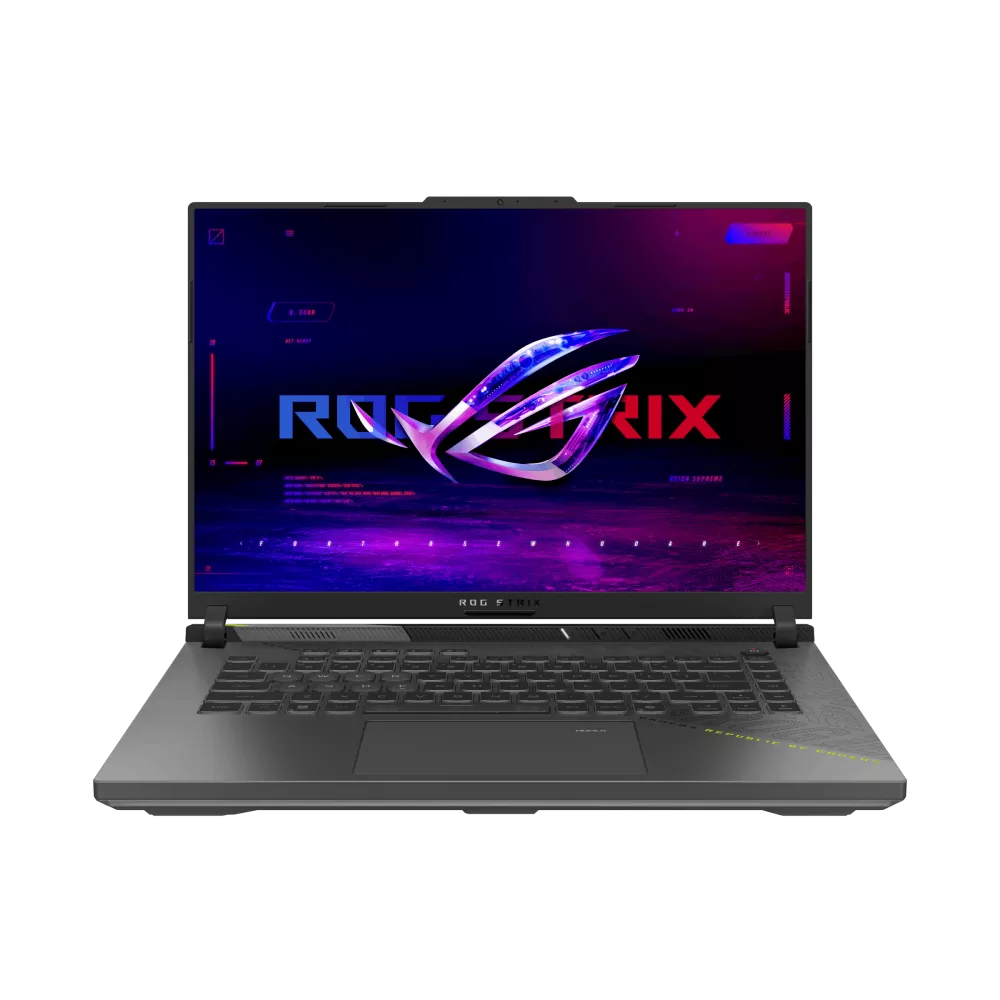
A real configuration to compare: ASUS ROG Strix G16
Walmart item 13567365941 describes a Strix G16 with a Ryzen 9 9955HX, RTX 5060, 16GB RAM, 1TB SSD and a 16-inch 1920×1200, 165Hz display.
Price caution: the previously discussed $1,399 offer is not confirmed current. Our Strix G16 assessment records a November 21 seller and price change. Research on November 23 did not establish a verified checkout offer. Check the selected configuration, seller and delivered total before buying.
Consider this configuration if CPU-heavy work is a substantial part of your use. For gaming alone, compare exact-machine benchmarks and current alternatives before paying a processor premium. Skip it if the current price, display or required memory upgrades make a different configuration a better fit.
Affiliate link: we may earn a commission if you purchase through this button.
Check the exact Strix G16 listing at WalmartA price-check link, not a claim of stock, savings or a verified current deal.
Check costs that disappear from the headline
- Memory: confirm capacity and upgradeability before budgeting for more.
- Storage: check whether your games and working files fit, and whether expansion is possible.
- Display: confirm resolution, brightness and colour coverage rather than relying on refresh rate alone.
- Connectivity: check the ports needed for your monitor, network and external storage.
- Ownership: read the seller’s return terms and applicable warranty.
Purchase price + tax + shipping + required upgrades = your actual starting cost. Include any membership cost needed to obtain the offer.
Buy now or wait until Friday?
Buy when the exact laptop meets your needs, its total compares favourably with credible alternatives, and you are comfortable with the seller and return terms.
Wait when a crucial specification is missing, upgrade costs are unclear, or a countdown is driving the decision. Waiting does not guarantee a lower price; buying early does not guarantee savings.
- Record the exact model, condition and seller.
- Compare complete configurations and checkout totals.
- Check price history where reliable records exist.
- Read coupon, membership, shipping and return conditions.
- Write down what the more expensive option improves.
If you cannot explain why the more expensive option improves your experience, keep the difference.
Build your shortlist
Start with our gaming-laptop buying guide, compare RTX 5060 and RTX 5070 configurations, or read the Strix G16 offer update.
Need help choosing? Bring two listings, your US budget and your main games or applications to r/BudgetComputers.
Sources and limits
Specifications checked November 23, 2026 using NVIDIA’s laptop comparison, ASUS’s G614 specifications and Walmart item 13567365941. Research-based guidance; BudgetComputers has not hands-on tested these laptops. No live price, availability or lowest-price claim is established here.